Table of Contents
How to activate AES Encryption
In order to activate the AES encryption on the MODBUS RTU serial communication channel follow these steps:
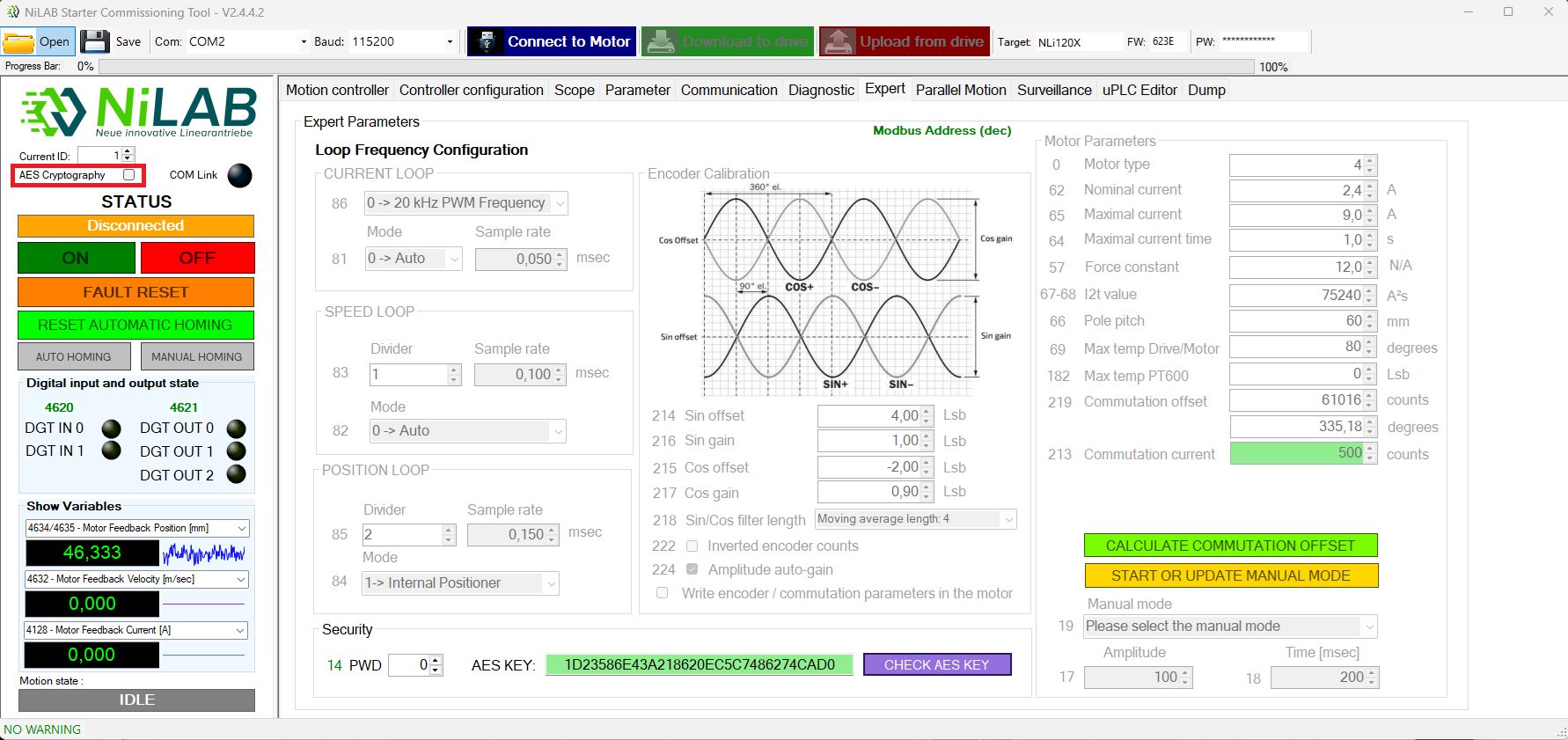
1) Connect to the motor using NiLAB Starter Interface
2) In the parameter window select the checkbox AES Cryptography and press Download to Drive
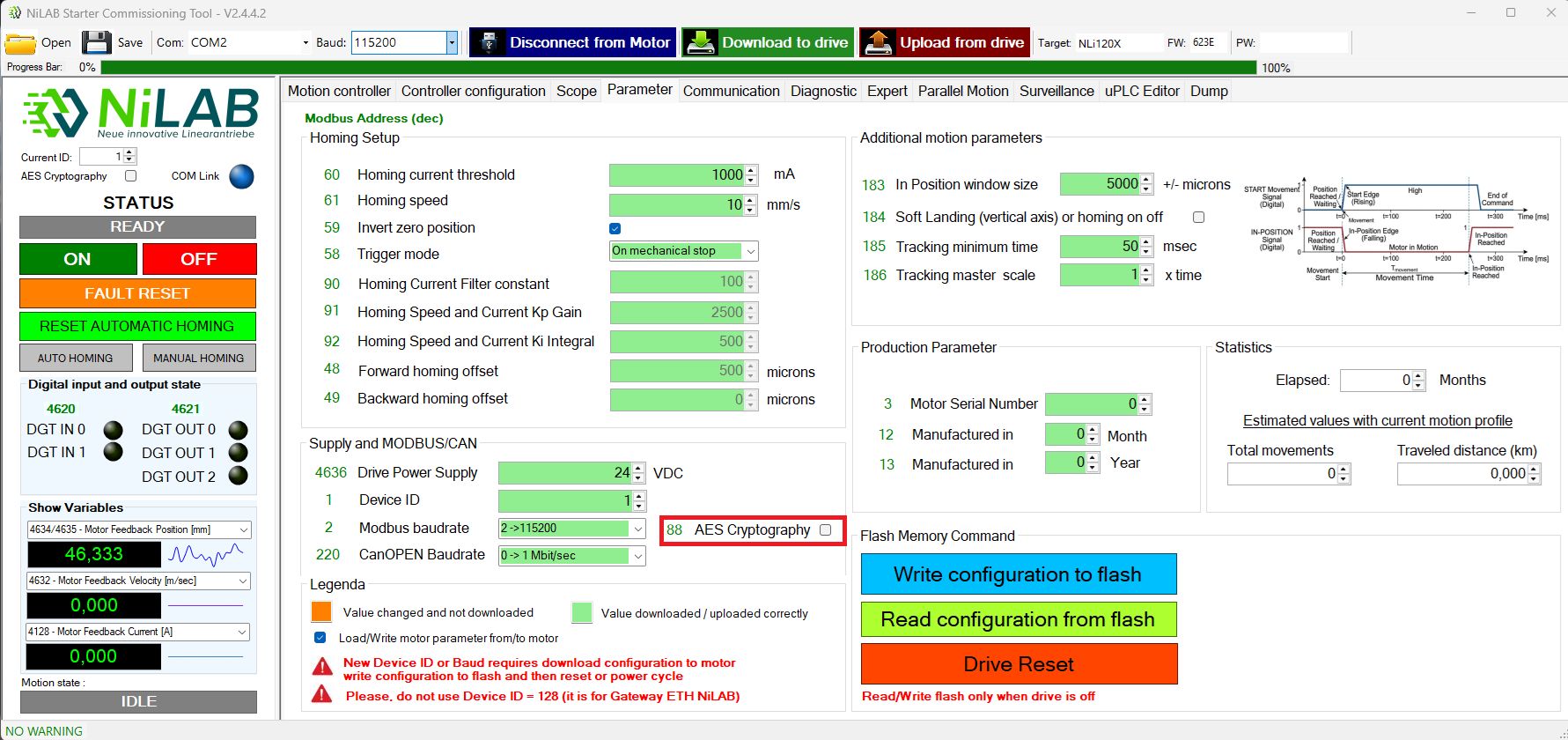
3) Press Write configuration to Flash button in the same window, then disconnect the motor press Disconnect from motor button.
4) Disconnect the motor from the power and then reconnect the motor to the power (power cycle)
5) Now, the motor can only communicate with AES cryptography on the modbus communication channel.
How to check and use the AES Encrypted modbus communication channel
1) Set the password to insert the AES key entering the password text inside the PW password text field on the top right.
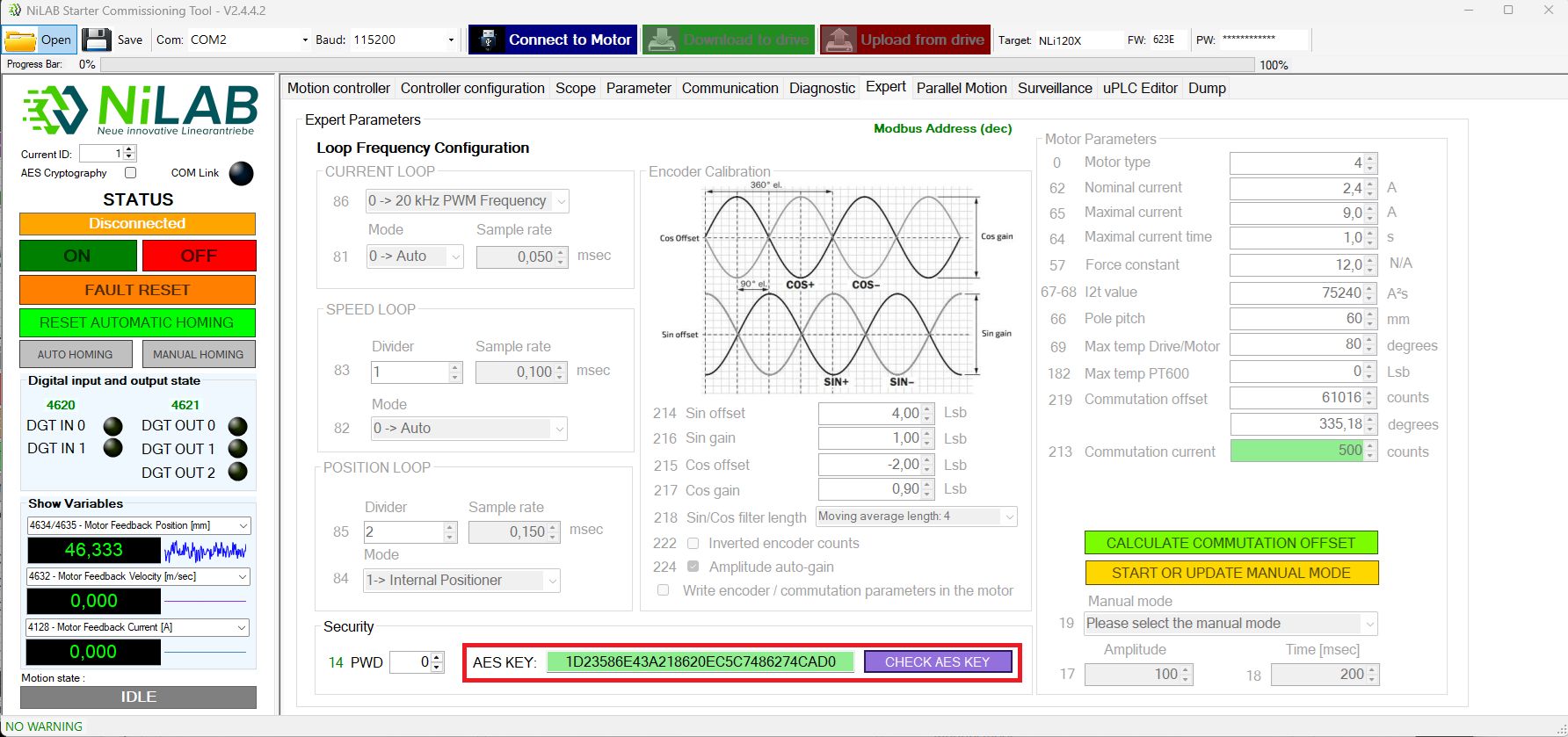
2) Go to Expert window and insert the AES Key in the AES Key text box field. Press the CHECK AES KEY button if you need to semantically check the inserted key (please take into account that this is only a check of the sintax of the AES key not the check of the validity of the AES in respec to the connected motor)
3) Before press the Connect to Motor button select the AESV Cryptography check box on the status window.