Table of Contents
Encoder Calibration
Using Encoder Configurator
Before start to use, after the encoder mounting on the machine, two operation are needed. First, dump the input signal of microprocessor to see if the signal is correct without saturation, Second, please calibrate the offset for proper operation.
Dumping of the input signal
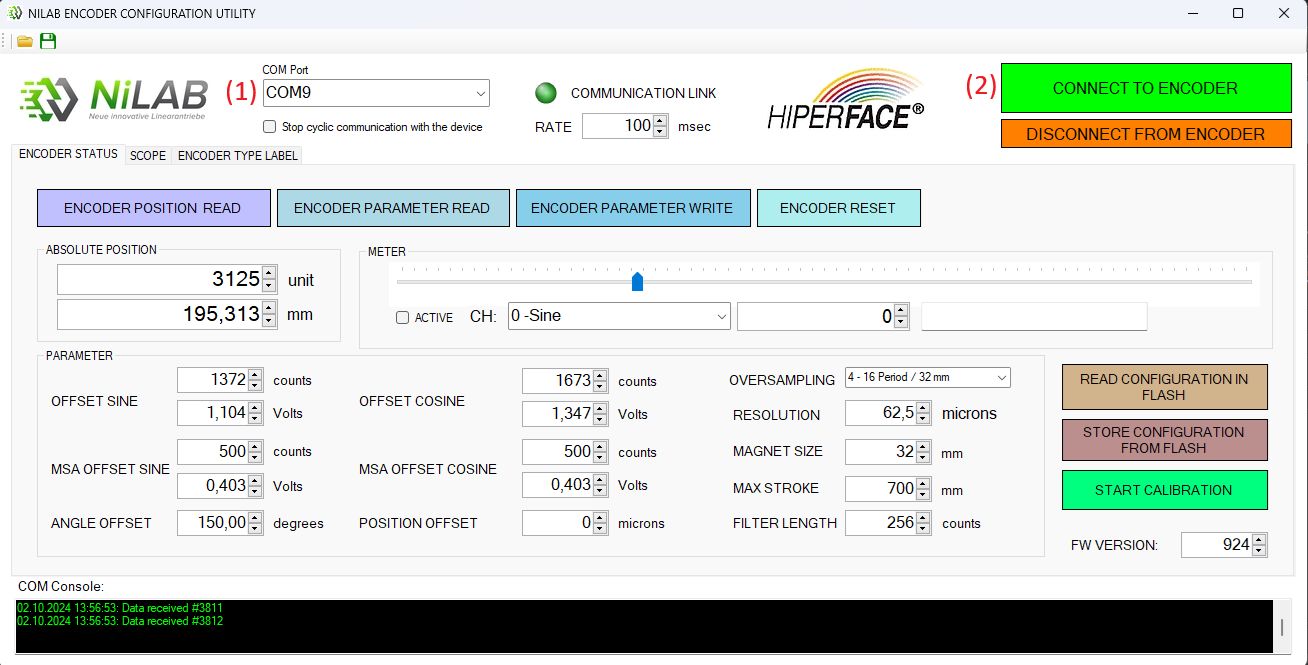
Using NiLAB Encoder Configuration utility, select the right COM port where the programming cable is connected (1),then press CONNECT TO ENCODER button (2) to establish a connection. All the encoder parameters will be loaded into interface and the current absolute position will be displayed.
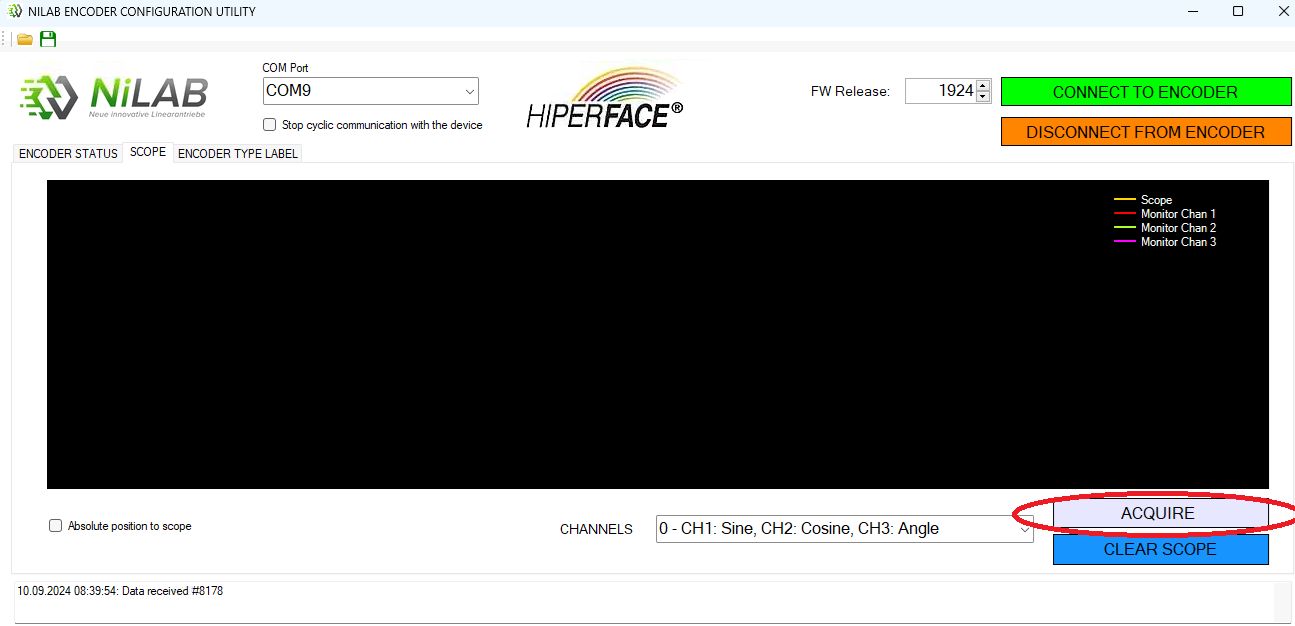
Then, go to SCOPE window folder and click on the ACQUIRE button.
On the encoder leds, the yellow led blink to confirm that the encoder is in acquisition mode.
Move the carriage of the motor by hand in one direction for the entire stroke and the signals will be displayed as below.
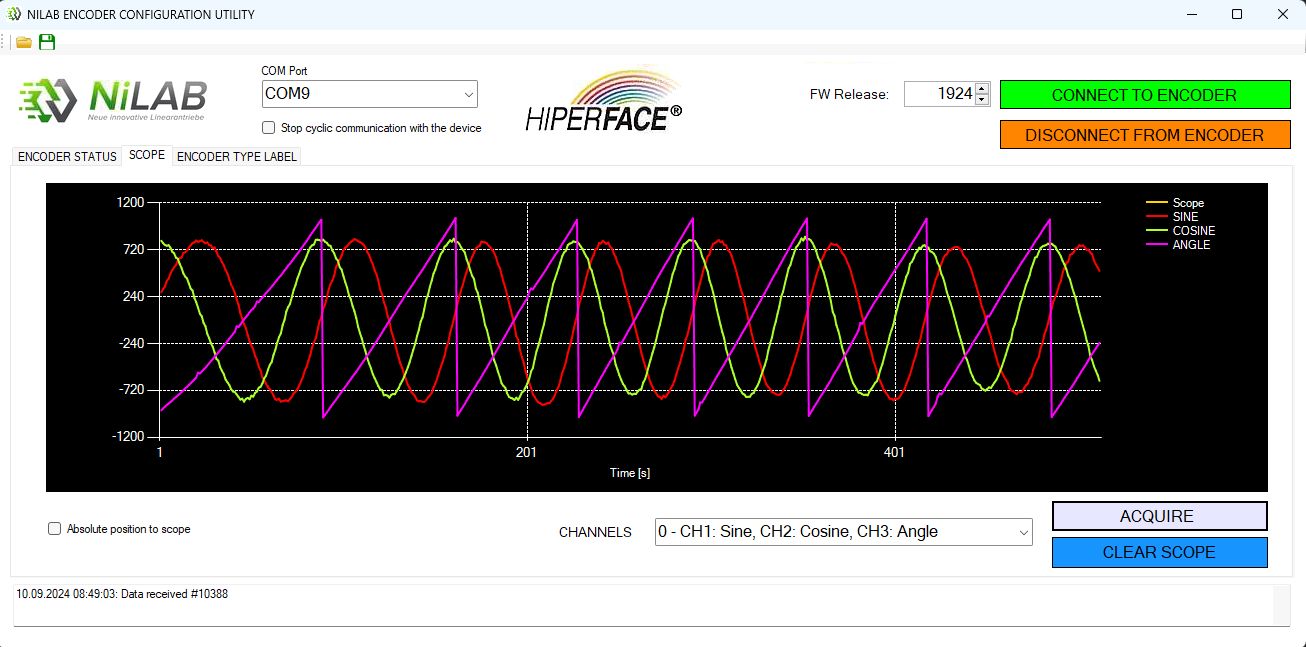
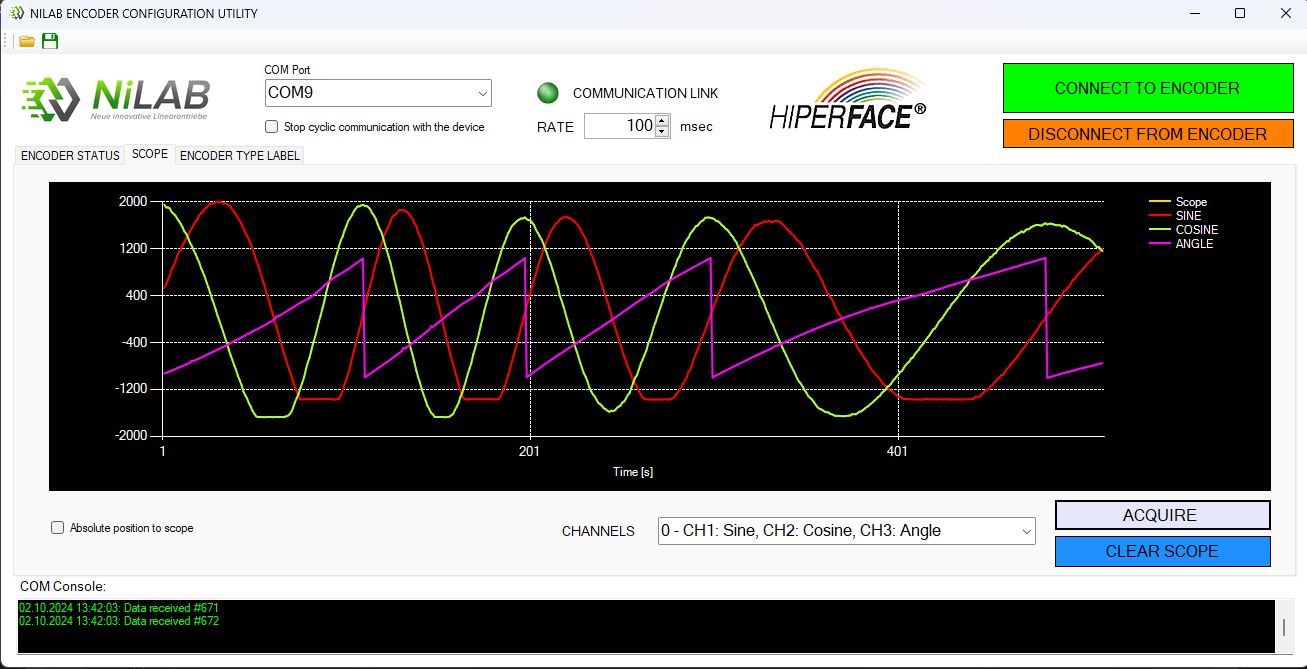
The SIN/COS Signal must be without distorion and saturation. If the SIN/COS has saturation point, please move the reference magnet a little bit
far away from the encoder to eliminate the clamping on the signal.
For example here below an acquistition where the SIN/COS signal are not OK and saturate.
Calibrate the signal
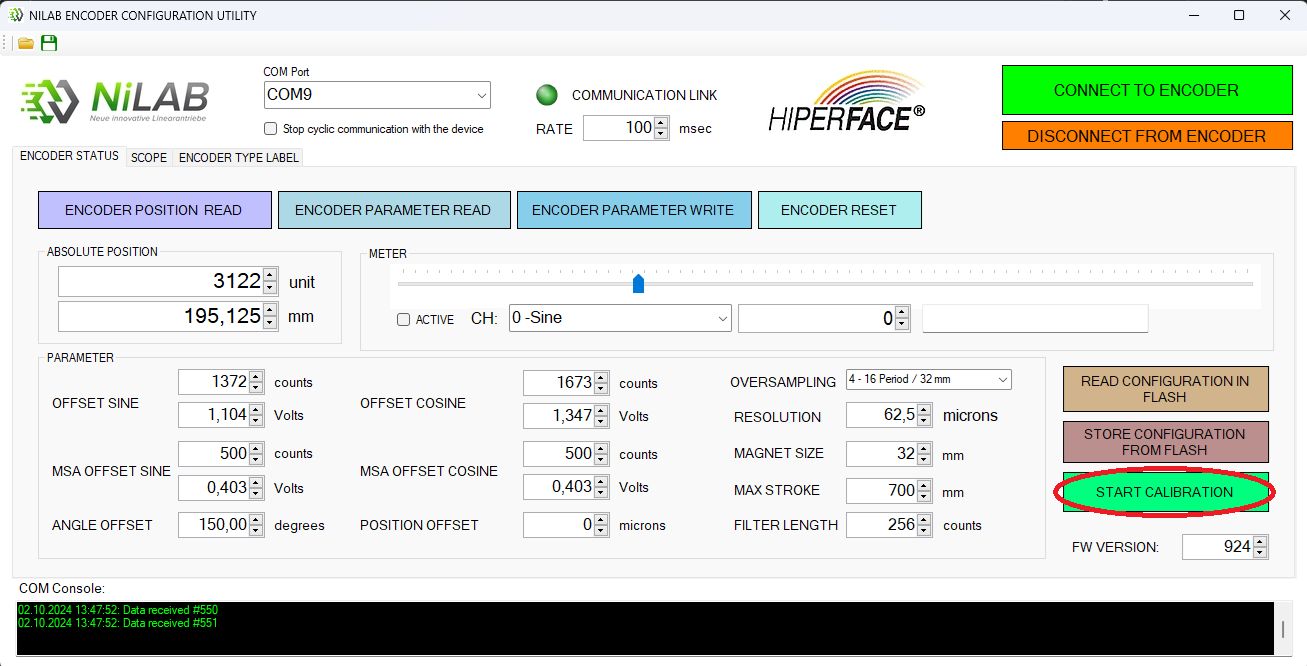
After the dumping of the signal the SIN/COS offset must be cancel usign the calibration procedure. Please go to ENCODER STUS folder and press START CALIBRATION button. The green led on the encoder start to blink to confirm the calibration procedure is active. Then move the carriage of the motor in one direction for the entire stroke to calibrate the encoder.
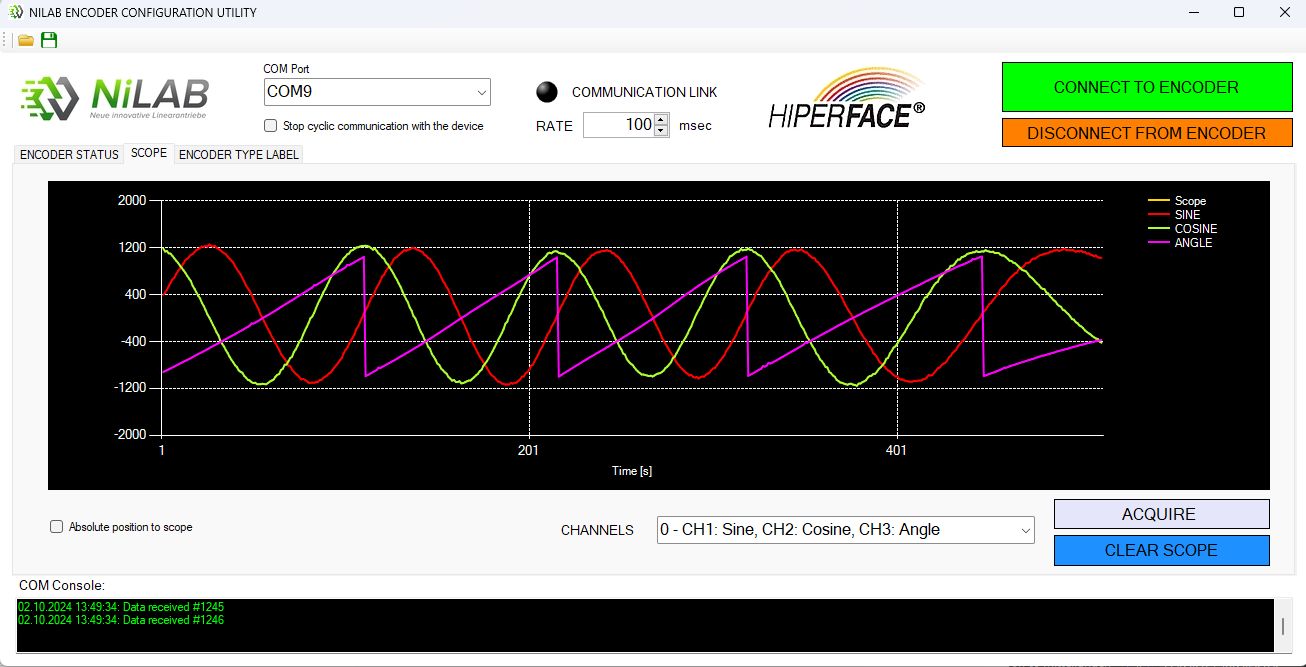
After the calibration using Scope, the calibrated input SIN/COS 1Vpp signal generated by the magnet reference before multiplication will be like this:
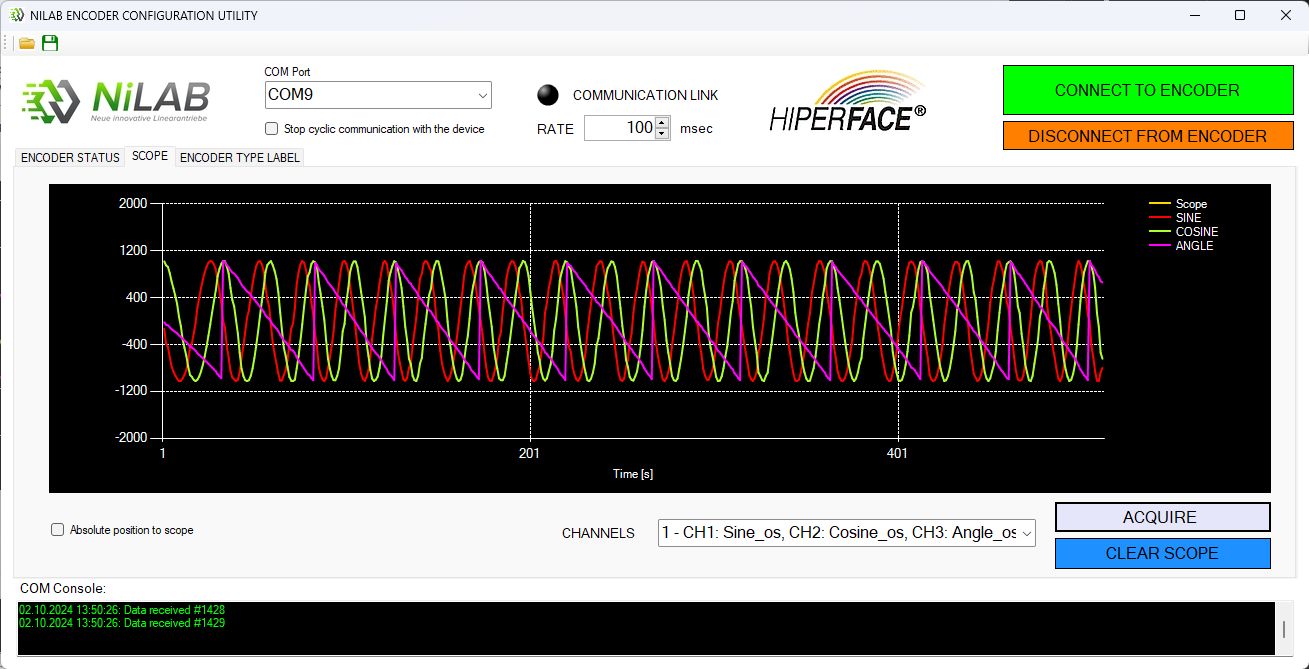
Selecting the second channels selection, the multiplied SIN/COS 1Vpp encoder output signal will be like this:
Please take into account that when you acquired the second channel option you need to move slowly in respect to the first channel option.
After the calibration, read the new encoder data press the ENCODER PARAMTER Button.
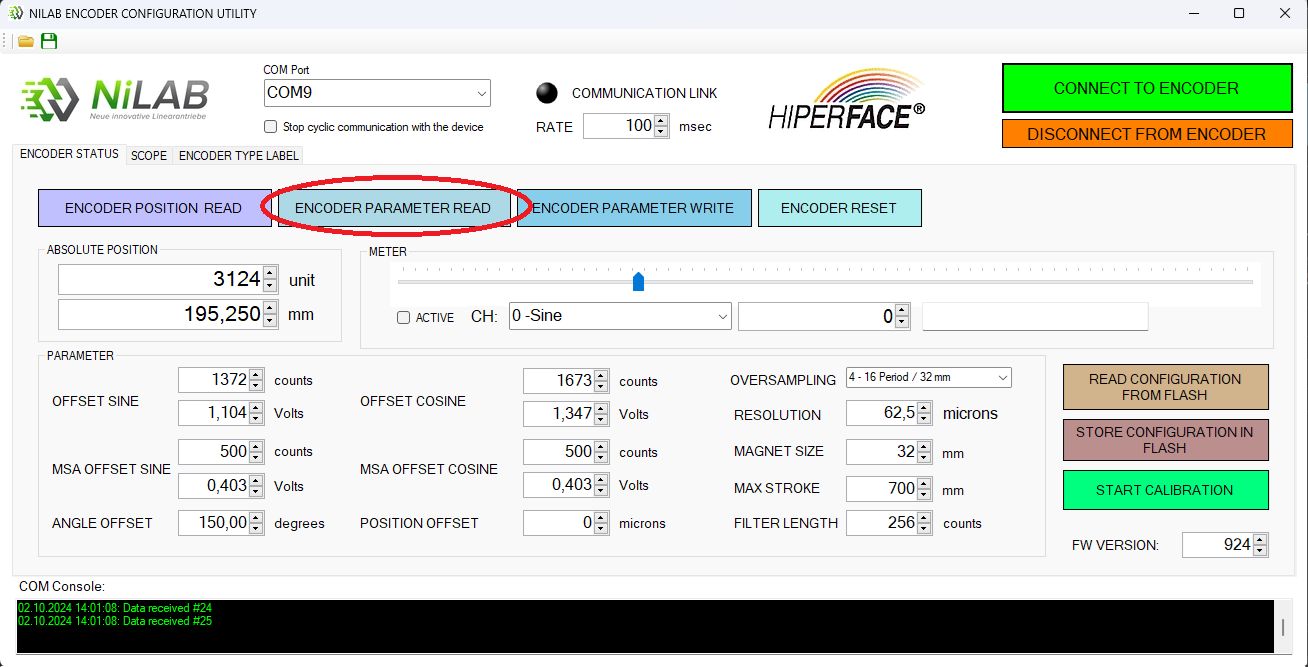
Then, please store the calibration data inside the Flash memory of the encoder press the STORE CONFIGURATION TO FLASH button.
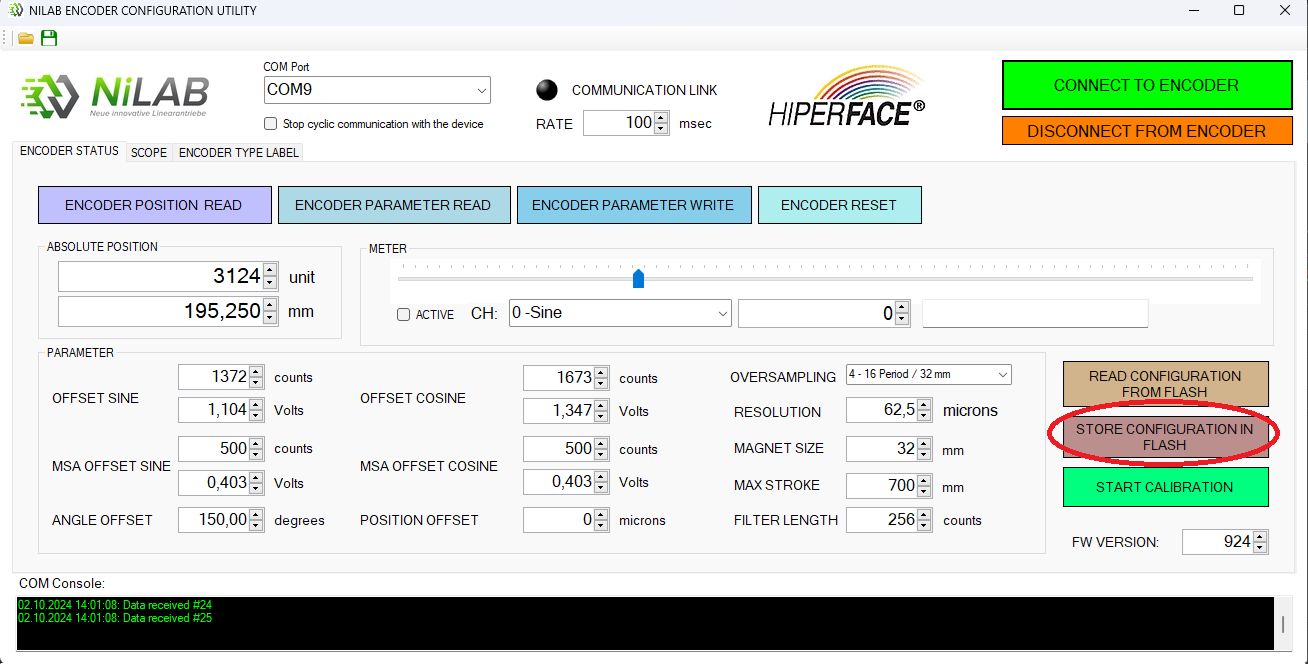
After this step, please reset the encoder pressing ENCODER RESET button.
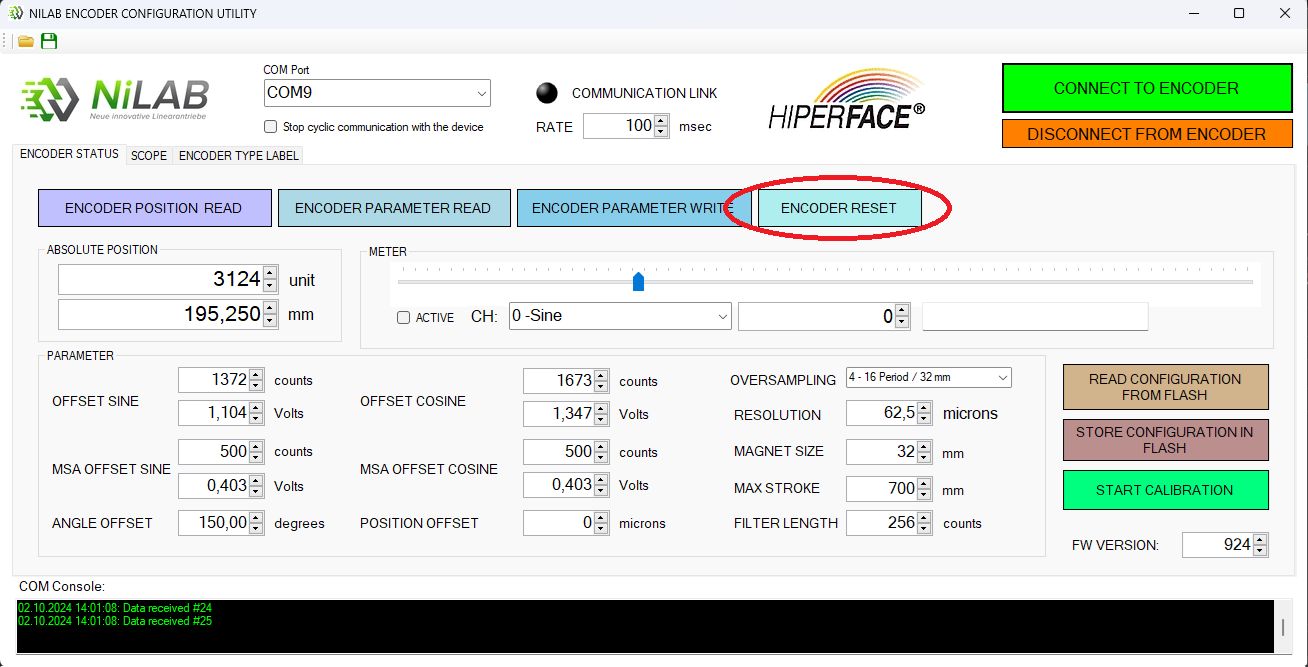
After Reset you need to connect again to encoder pressing CONNECT TO ENCODER button.