

Action unknown: siteexport_addpage
meta data for this page
MODBUS Trigger Configuration
This functionality is available using Firmware >= 6233.
There are two ways to start the motion using MODBUS communication:
- Using broadcast message (special message to send using RS485 communication)
- Writing the modbus sync signal register
- Writing the modbus sync signal register with id address equal to 0
- Writing the modbus sync register with the table index value
First of all you have to configure the motion controller to receive the motion trigger using modbus trasmission selecting the right motion trigger type for the rows you want to trigger.
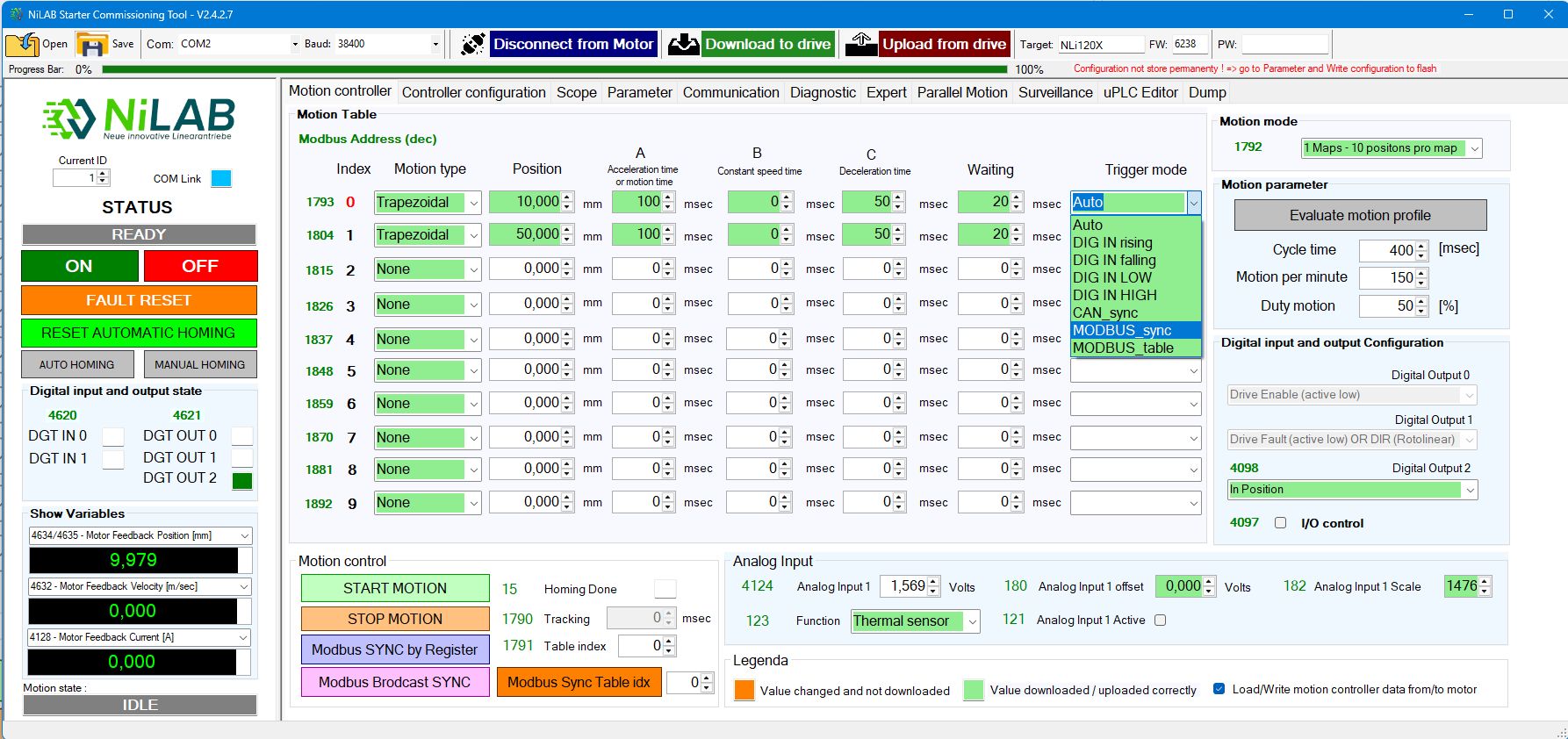
Using broadcast message
If the motors to sinchronized are more than 1 and you want to send just one message, you have to use this method.
In particular you have to send two characters on the RS485 MODUS like in this table. The motor will not reply to this message to avoid collision on the modbus.
| 1st character | 2nd character |
| 0x00 | 0x80 |
In this way all the nodes will received the trigger command and the trasmission time is minimized.
Writing the modbus sync signal register
If the motor involves in the synchronization is just one you can write a MODBUS register to send the trigger signal.
The Modbus register is 4622. When this address is write with the value = 1 and then to confirm again the register 4622 to zero.
Writing the modbus sync signal register with id address equal to 0
If the motor involves in the synchronization are more than 1 you can write a MODBUS register to send the trigger signal.
If the address of the modbus write is 0 (node id = 0), the write is receive from all the nodes on the bus and the synchronization starts accordirgly fro all nodes.
Writing the modbus sync signal register with the table index value
Instead of the value 1 and 0, the register 4622 can contains the value of the table row to triggered. Also in this case the address can be 0 in case of broadcast message to all the motors connected on the same modbus rtu bus. In order to configure this mode please set the trigger to MODBUS_table.
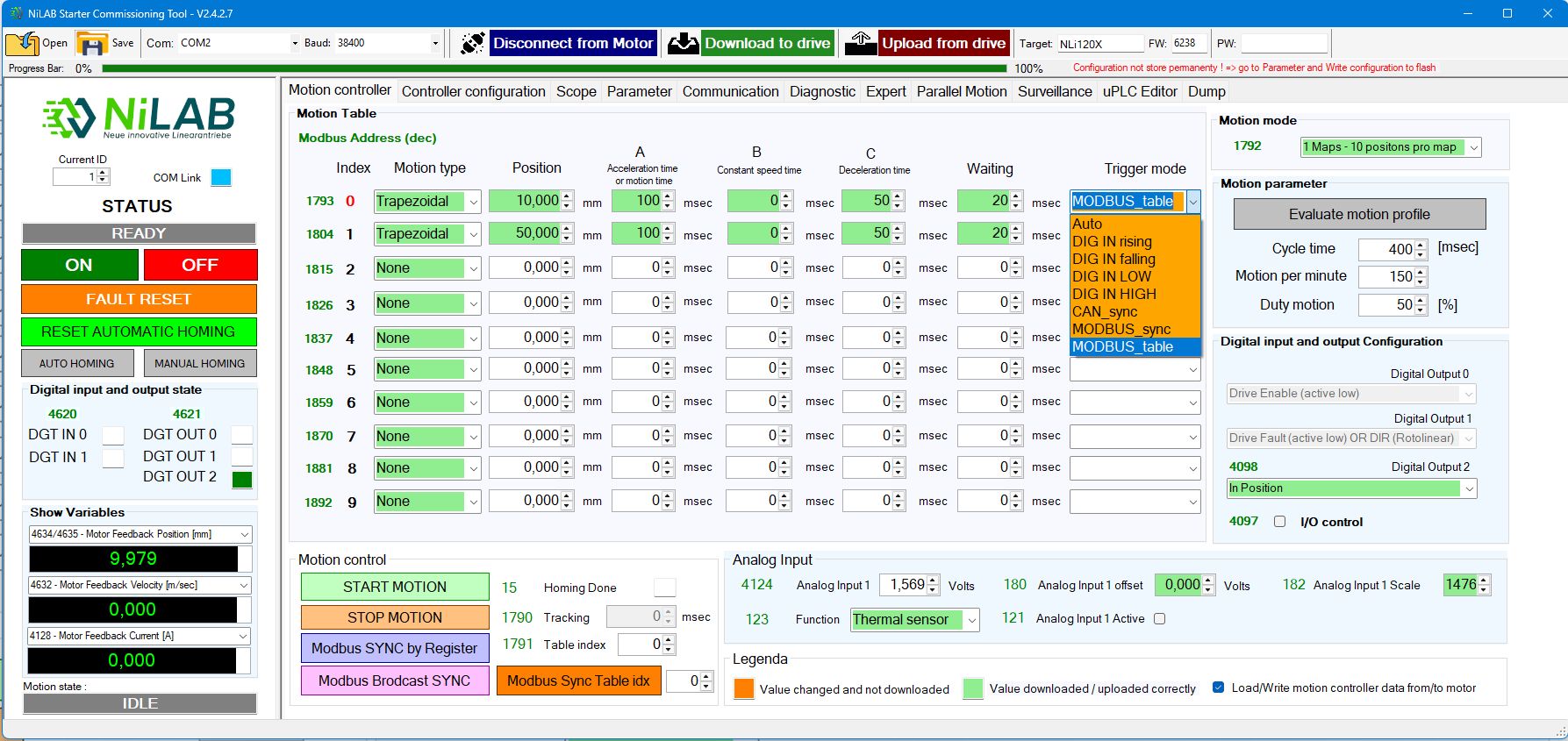
Testing the synchronization using NiLAB Starter
You can testing this functionality using the NiLAB Starter software using the two button on the motion controller.
With the button Modbus SYNC by register the interface write 1 and 0 in squence on the 4622 modbus address.
With the button Modbus Broadcast SYNC the interface will send the two characters corresponding to broadcast message on the Modbus serial.