Action unknown: siteexport_addpage
meta data for this page
Motion modes
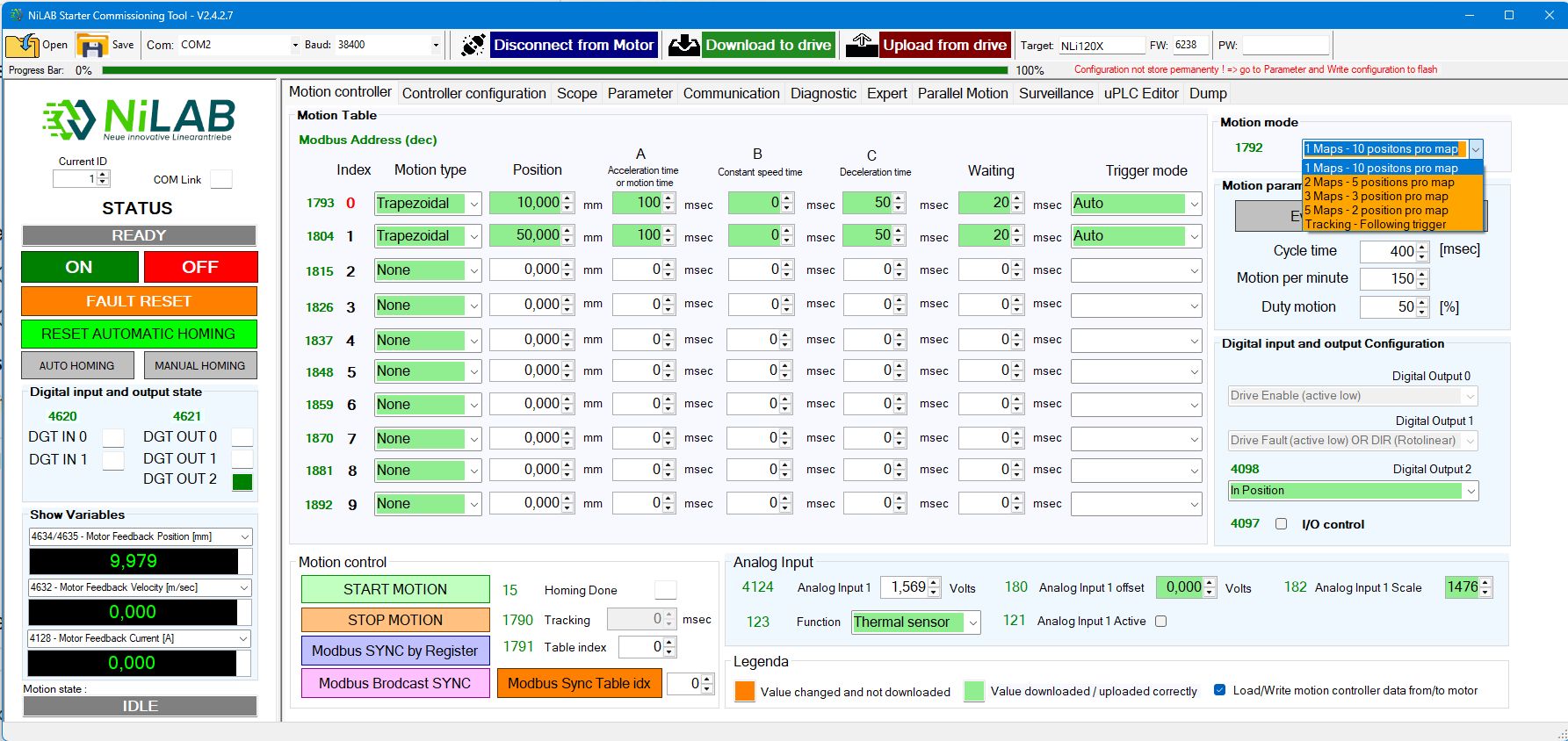
5 differents motion modes are configurable in the motion controller window. The last option TRacking - Following trigger is documented here:https://www.nilab.at/dokuwiki/doku.php?id=nilab_starter:tracking_time|
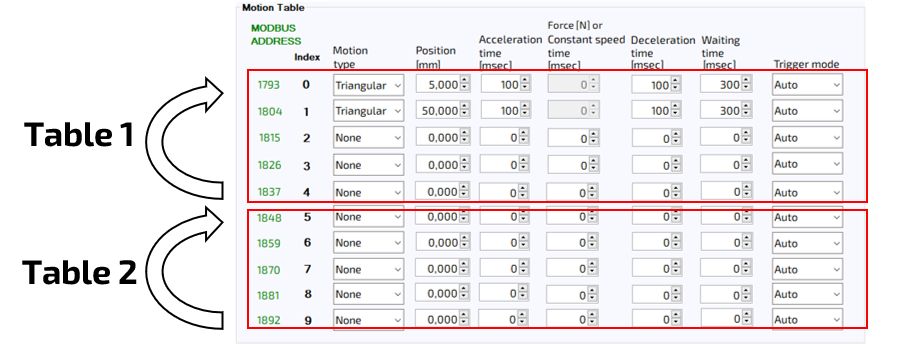
Digital Input 1 is used to select the table index when the motor is disabled (DIgital Input 0 low). Inside the table the sequence is a closed loop between the first and the last row of the table. In the example below, we have two table mode. The first table is executed from 0 to 4 row in a closed loop and the second table is execeuted from 5 to 9 row. In order to switch between the two table, the input 0 must be low and the input 1 must detect a rising edge.
We have 4 combinations possible:
a. Default with 1 Map and 10 positions/map
b. 2 Maps with 5 positions/map
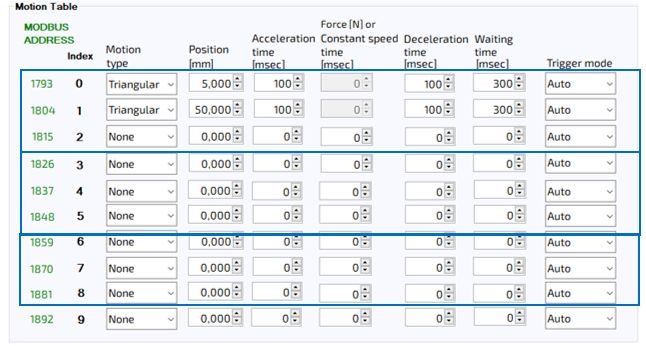
c. 3 Maps with 3 positions/map
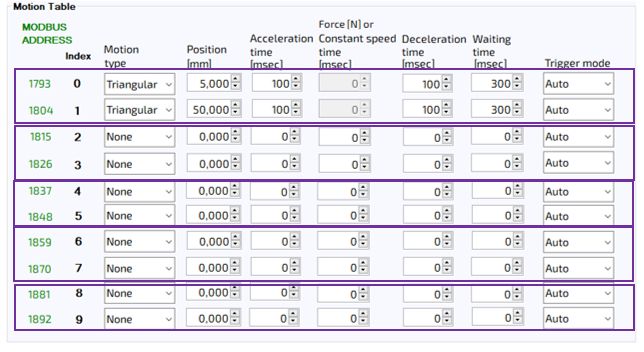
d. 5 Maps with 2 positions/map