

meta data for this page
Motor Firmware Update procedure
Using NiLAB Starter software is possible to update the integrated drive linear motor Firmware on the field. Please download the last version of the NiLAB Starter here: :nilab_starter:nilab_starter_ver2.4.1.7.zip
Switch the NiLAB Starter to Expert mode using password unlock, cliccking on the symbol » on the right up corne, insert the password and then click with the left mouse button on the password text ().
The unlock password is
update , follow by double click on the password text field.
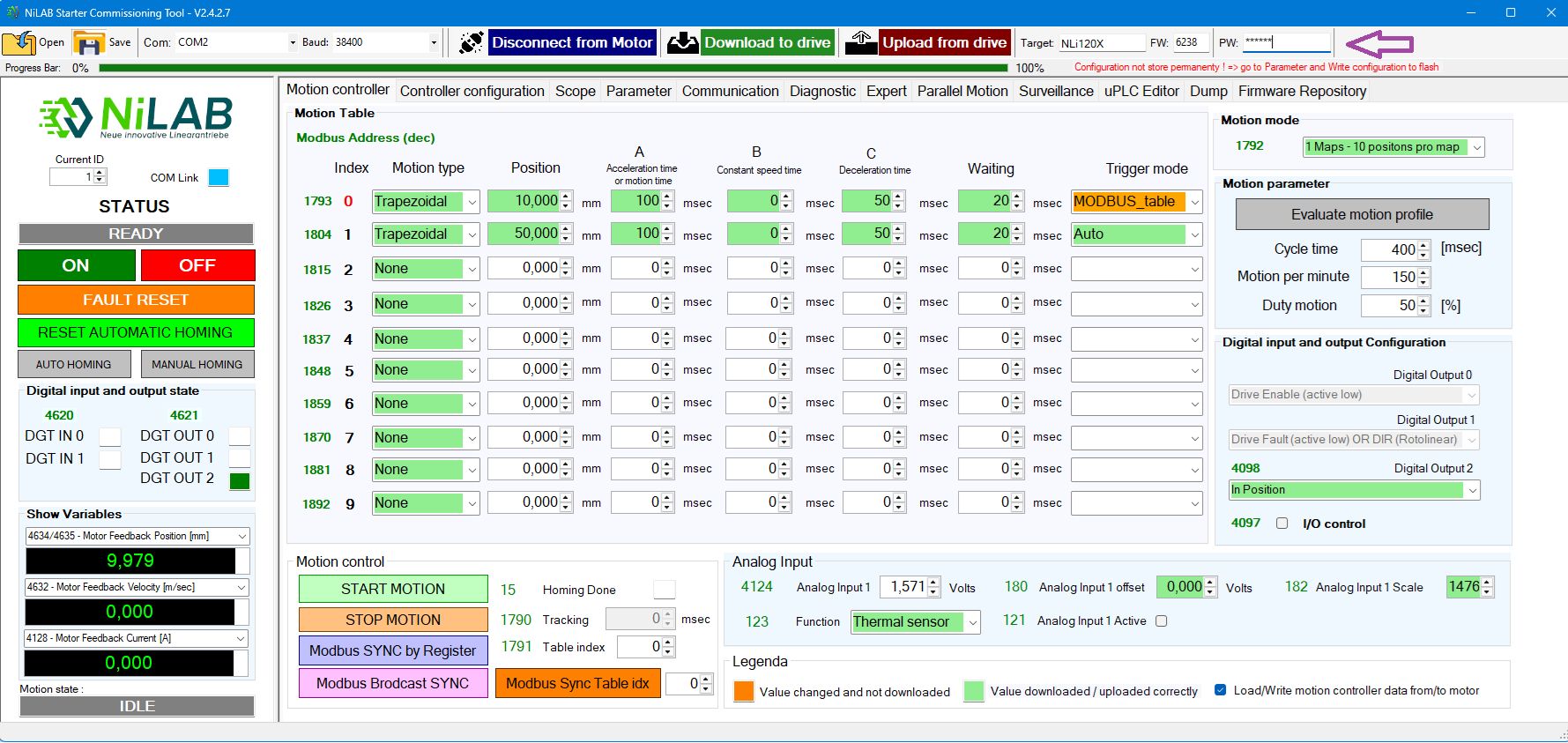
Step 2
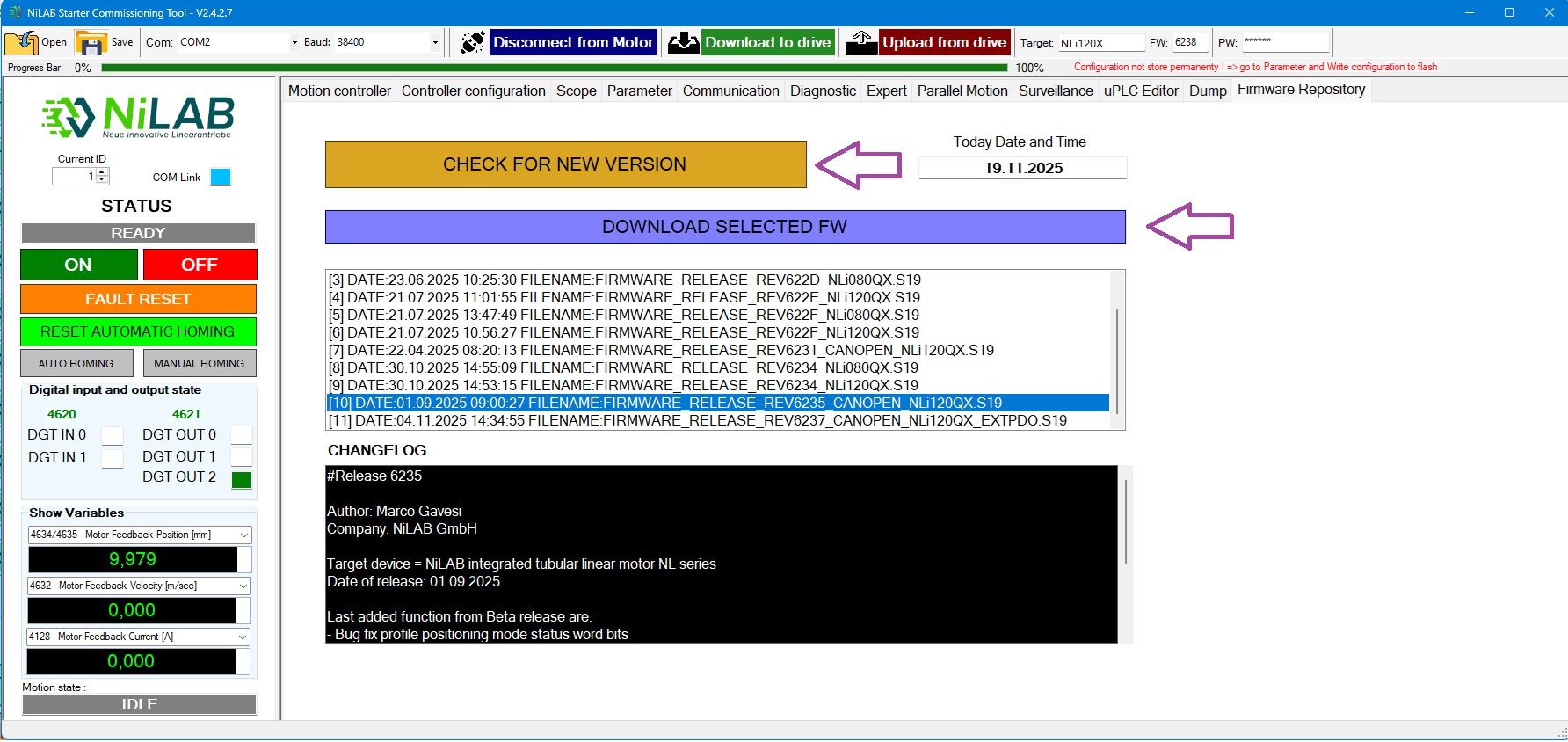
Go to Firmware repository window and then click on check for new version, Then, a list of available firmware will appear on the list box.Then select the right one and press Download Selected FW button.
Step 3
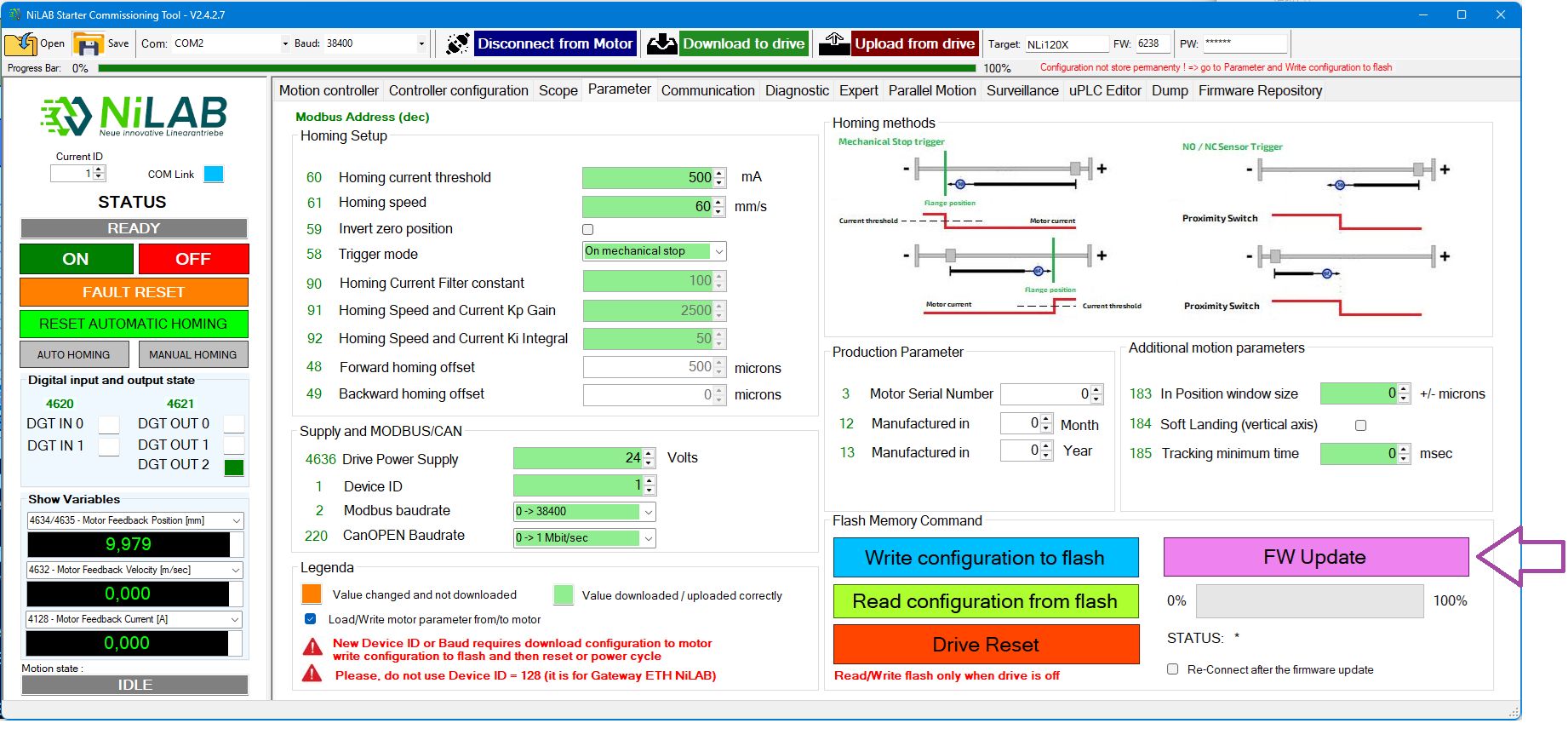
Go to Motor parameter window and press the FW Update button
Step 4
Select the file from the location where the FW file was donwload and start the update procedure.