

meta data for this page
uPLC NiLAB Ladder Editor
Introduction to the uPLC Ladder Editor
The uPLC Ladder Editor is a powerful graphical development tool designed specifically for our integrated drive systems. It provides an intuitive environment for designing, testing, and deploying control logic using the industry-standard Ladder Logic (LD) language.
By leveraging a visual interface, users can create complex automation sequences without needing to write manual code, making the development process faster and more reliable.
You can use the Graphical Ladder editor at this link: https://www.ni-lab.online/new_websmart/nilab_ladder_editor.php
Workflow Integration with NiLAB Starter
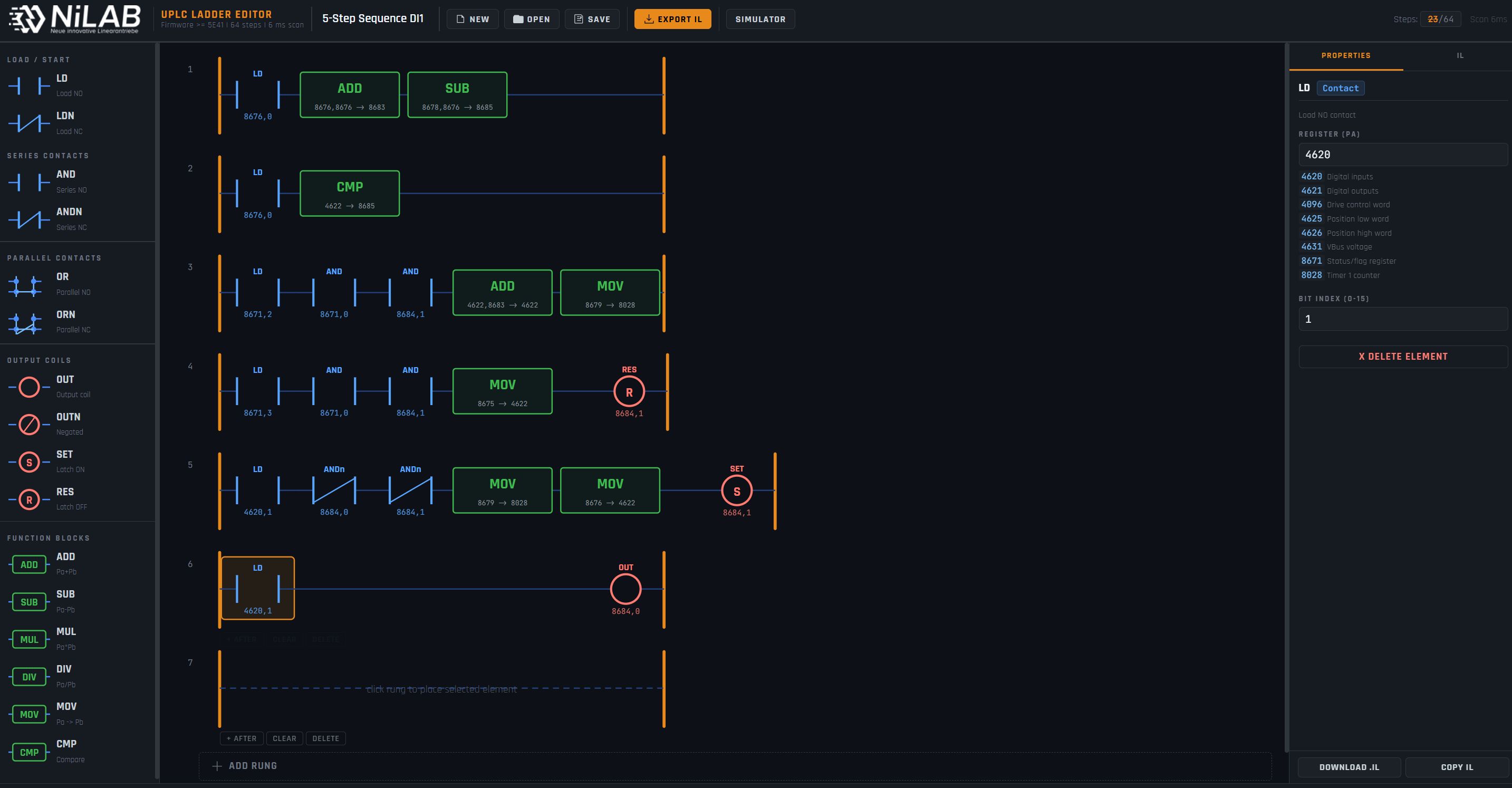
The uPLC Ladder Editor is designed to work in seamless combination with NiLAB Starter, our primary commissioning and configuration software. The typical development workflow follows these steps:
- Logic Design: Create and edit your control program within the graphical uPLC Ladder Editor.
- Simulation: Use the built-in simulation features to verify the logic and ensure the program behaves as expected before deployment.
- Export: Once the design is finalized, the tool exports the Ladder Logic into an Instruction List (IL) file.
- Compilation & Download: The generated file is then imported into NiLAB Starter . The software handles the final compilation for the integrated drive and manages the download process directly into the motor's internal memory. This integrated ecosystem ensures a robust bridge between high-level logic design and low-level motor execution, providing a streamlined experience for motion control and automation tasks.
Key Features
- User-Friendly Graphical Interface: Drag-and-drop components for rapid Ladder Logic development.
- Offline Simulation: Validate your code before connecting to hardware to reduce commissioning risks.
- Automatic IL Generation: Error-free conversion from graphical symbols to Instruction List code.
- Full Hardware Compatibility: Optimized for our range of integrated drives via NiLAB Starter.