meta data for this page
16bit SIN/COS Encoder converter - Interpolator with Hall commutation signal outputs
Overview
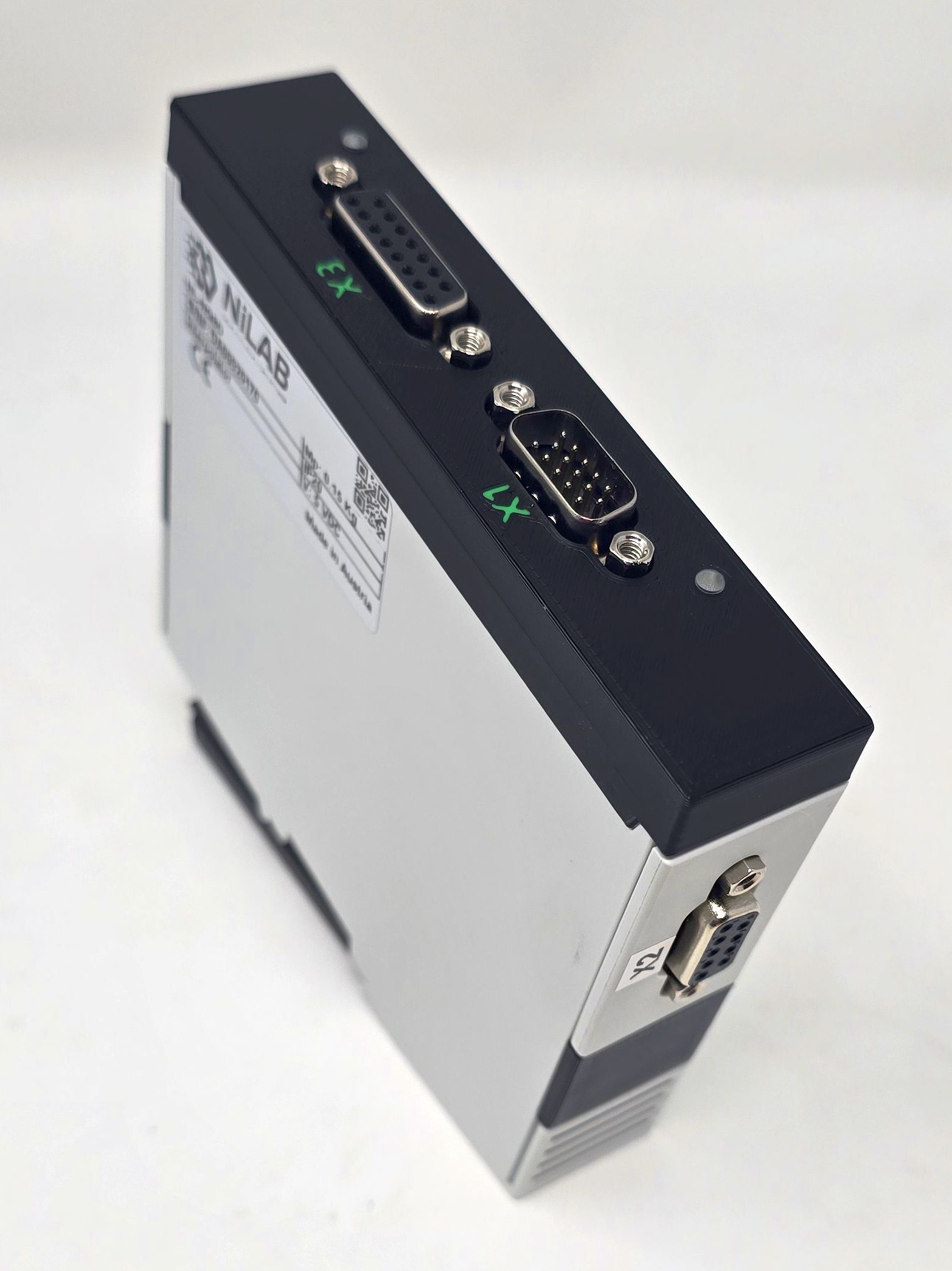
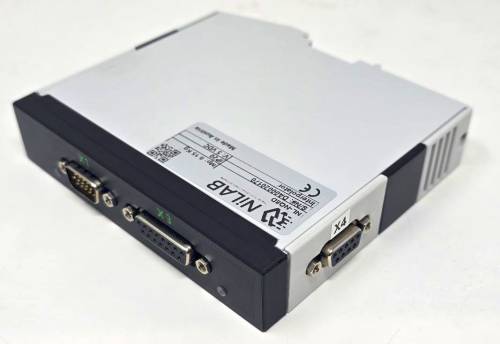
The NL-NQ8D is an advanced interpolator compatible with all types of 1Vpp Sin/Cos encoders. Designed for DIN-rail mounting, this device converts analog 1Vpp Sin/Cos signals into 5V TTL digital quadrature (A/B) outputs. Additionally, it can convert these analog signals into BiSS-C or SSI digital protocols. Programmable UVW commutation outputs are also available, supporting 1 to 32 pole pairs.
This device is essential when a servo drive cannot directly accept a 1Vpp Sin/Cos signal as its feedback interface.
 |   |
Programming interface - Driver & Software
The interpolator can be programmed using programming cable DE23500555-1M in combination with programming software.
Programming cable windows driver can be downloaded here: :miniature_motors:usb_mb3u_driver_ftdi21224.zip
Features:
- Resolution of up to 16384 angle steps per sine period
- Binary and decimal resolution settings, e.g. 500, 512, 1000, 1024; programmable angle hysteresis
- Count-safe vector follower principle, real-time system with 80 MHz sampling rate
- Direct sensor connection; selectable input gain
- Rail-to-rail input (frequency of up to 500 kHz)
- Calibration for offset, amplitude, phase and distortion
- A/B quadrature signals of up to 10 MHz with adjustable minimum transition distance
- Up to 32 bit period counting with zero processing or absolute data interface
- Absolute angle output via fast serial interface (BiSS, SSI, SPI)
- Permanent bidirectional memory access to parameters and OEM data by BiSS C
- Error monitoring of frequency, amplitude and configuration
- ESD protection and TTL-/CMOS-compatible outputs
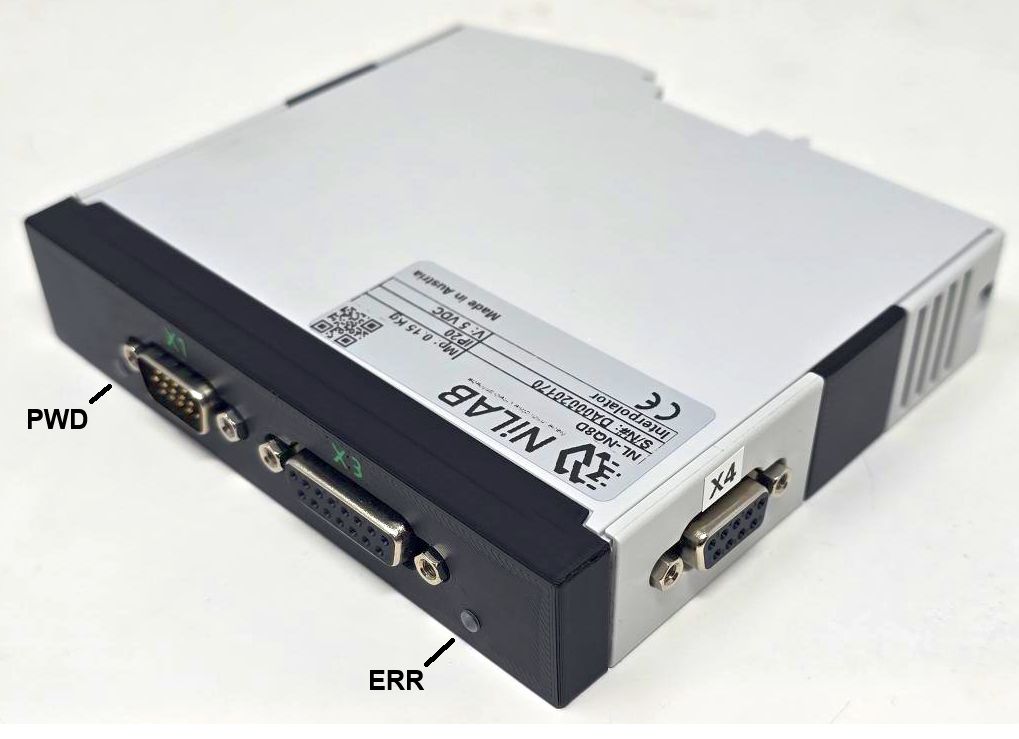
Status Leds
ERR Led (RED COLOR) reports error condition configurable with GUI interface. For example SIN/COS signal too low or out of range
PWD Led (GREEN COLOR) reports the power on of the interpolator, if the green leed blinks the 5V voltage is not stable or the current is too week.
Connectors
X1 connector is male d-sub 15 hd, X2 connector is female d-sub9, X3 connector is female d-sub 15.
X1 Connector - Incremental Output AB e UVW commutation signals
| Pin | Signal | Description |
| 1 | A+ | Positive A |
| 2 | A- | Negative A |
| 3 | B+ | Positive B |
| 4 | B- | Negative B |
| 5 | NERR | Error Input/Output, active low |
| 6 | +5VDC | Power supply |
| 7 | GND | Ground |
| 8 | U+ | Positive commutation U |
| 9 | U- | Negative commutation U |
| 10 | V+ | Positive commutation V |
| 11 | V- | Negative commutation V |
| 12 | W+ | Positive commutation W |
| 13 | W- | Negative commutation W |
| 14 | Z+ | Positive Z |
| 15 | Z- | Negative Z |
X4 Connector - BiSS-C Bus - INTERPOLATOR IC1
This port is used to program and read the data from the first interpolator ic that will generate the emulation signal ABZ with adjustable resolution as encoder feedback for servo drive.
| Pin | Signal | Description |
| 1 | - | - |
| 2 | MA+ | Clock P |
| 3 | MA- | Clock N |
| 4 | VDD | 5V Logic |
| 5 | MO- | Master data output N |
| 6 | GND | Ground |
| 7 | SL+ | Device Data input P |
| 8 | SL- | Device Data output P |
| 9 | MO+ | Master data output P |
X2 Connector - BiSS-C Bus - INTERPOLATOR IC2
This port is used to program and read the data from the first interpolator ic that will generate the emulation signal UVW with adjustable resolution for motor commutation.
| Pin | Signal | Description |
| 1 | - | - |
| 2 | MA+ | Clock P |
| 3 | MA- | Clock N |
| 4 | VDD | 5V Logic |
| 5 | MO- | Master data output N |
| 6 | GND | Ground |
| 7 | SL+ | Device Data input P |
| 8 | SL- | Device Data output P |
| 9 | MO+ | Master data output P |
X3 Connector - SIN/COS 1Vpp encoder input
| Pin | Signal | Description |
| 1 | - | - |
| 2 | - | - |
| 3 | - | - |
| 4 | +5VDC | Encoder power supply |
| 5 | 0V | Ground |
| 6 | SIN+ | Positive sine |
| 7 | COS+ | Positive cosine |
| 8 | - | - |
| 9 | PE | Shield |
| 10 | - | - |
| 11 | - | - |
| 12 | - | - |
| 13 | SIN- | Negative Sine |
| 14 | COS- | Negative Cosine |
| 15 | - | - |
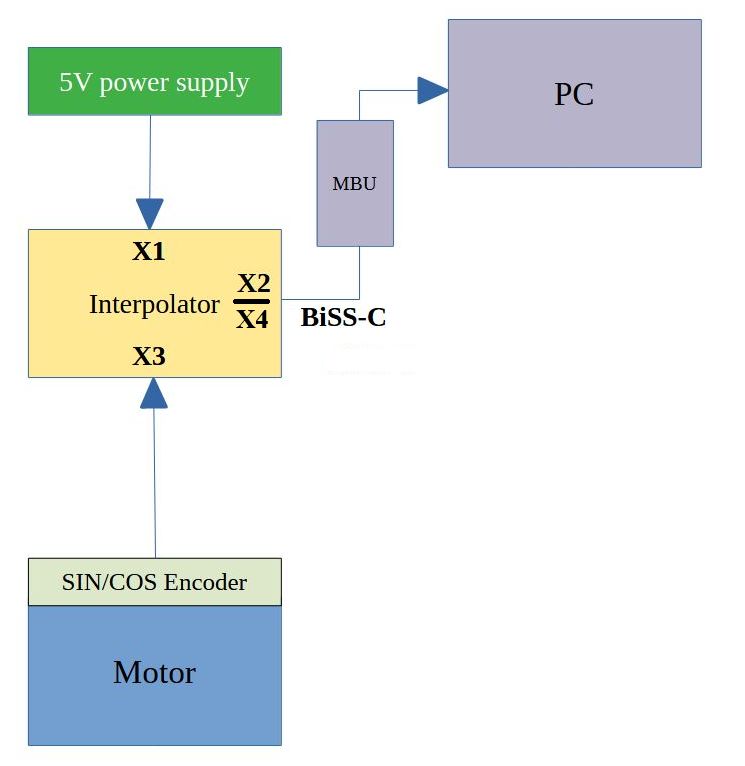
Using programming cable
When the programming calbe is used the power supply for Interpolator and the connected SIN/COS encoder can be provided
by USB (in this case check is the current will be enought for the correct ioperation) or with external 5V power supply connected
on the power X1.
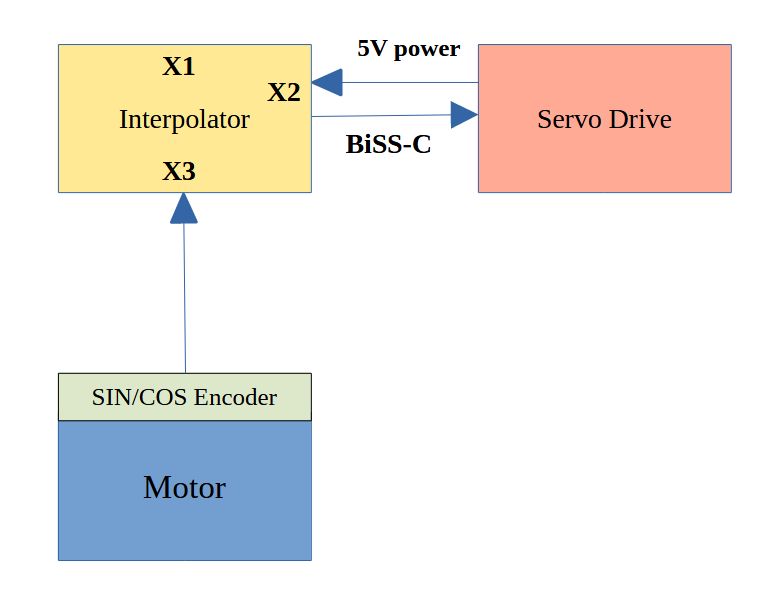
Using Servo Drive
Connecting a servo drive BiSS interface, the 5V power can be porvided by the feedback port of the servo drive or
using external 5V power supply connected on port X1.
How to use the GUI interface - Quick start
In order to program the interpolator use the GUI interface provided by NiLAB ⇒ NQE_1SO_gui.
Interpolator connection using MB3U programmer (USB to BiSS)
On the top bar of the interface, please select MB3U interface and BiSS communication channel. Then, press the Connect button to read all the data from the interpolator.

SIN/COS Inputs data - BiSS interface connected on port X4 or X2
If the input signal is 1Vpp standard SIN/COS please select Coarse Gain to 2. The input signal offset can be nulled using the parameters Offset cosine or offset sine.
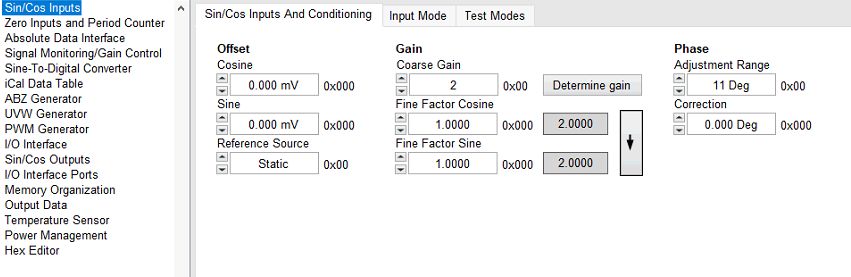
Selecting the input signal mode, the user can adapt the differential gain input to have better signal to noise ratio.
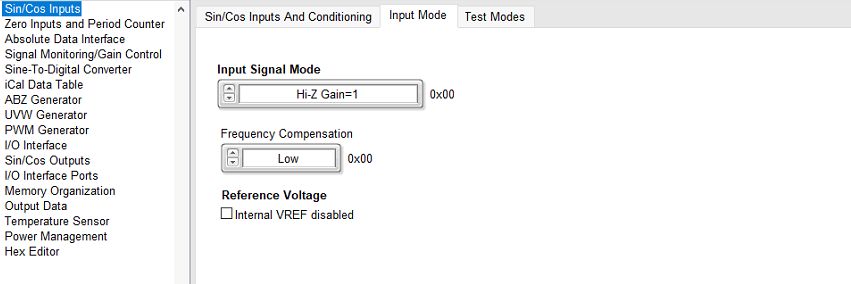
Check the SIN/COS signal input using the interface
Click on the Read Sensor button to read the interpolated angle.

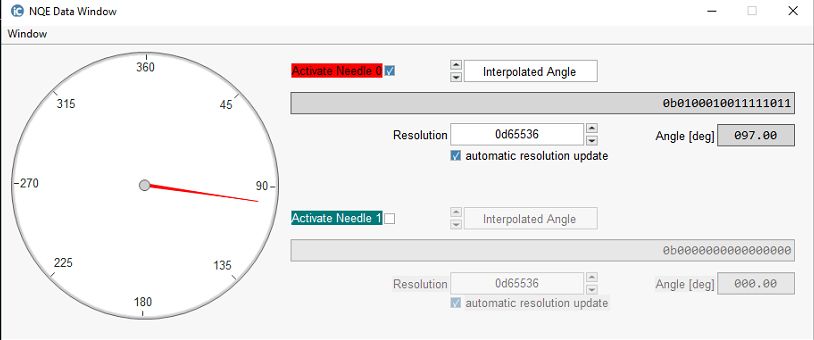
You can see the value on a gauge using Data Window.
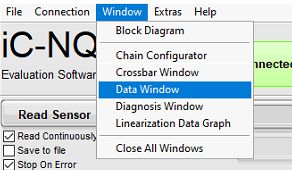
Open the Data Window selected from Window menu → Data Window
Moving the linear motor slider or rotary motor rotor the gauge visualize the electrical angle from 0 to 360 degrees.
Please check the value when rotating the measurement must be stable and smooth. You can increase or decrease the resolution to see the signal to noise ratio.
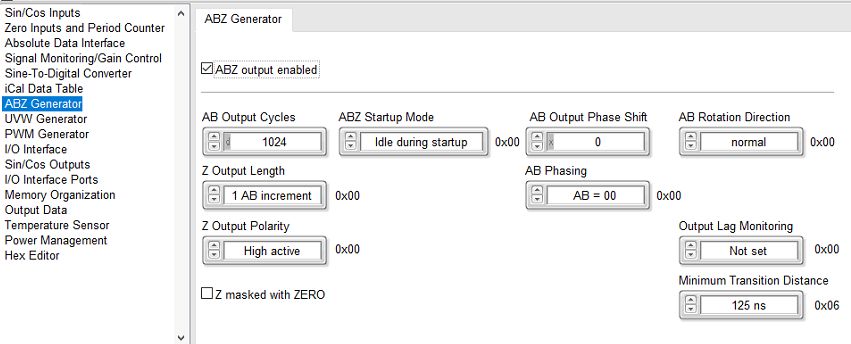
ABZ Generator for digital encoder emulation - BiSS interface connected on port X4
If you need the ABZ output active on the interpolator port X1, please check ABZ output enabled checkbox.
The resolution related to AB output pulses is programmable using the AB Output Cycles parameter (here as default 1024).
Polarity, Rotation and Z output is programmable as well.
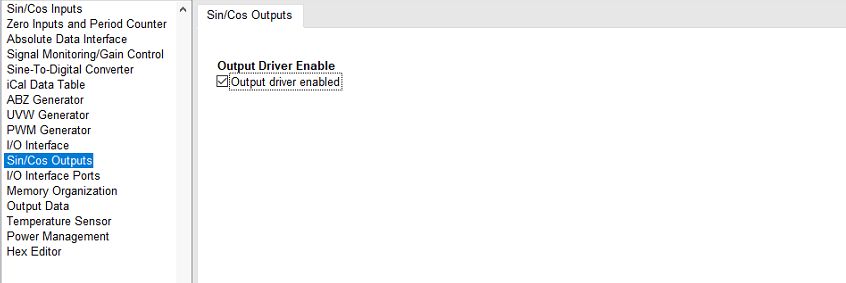
SIN/COS Output for UVW Emulation - BiSS interface connected on port X4
In order to use the second interpolator ic as UVW generator the SIN/COS Outputs must be active.
UVW Generator - BiSS interface connected on port X2
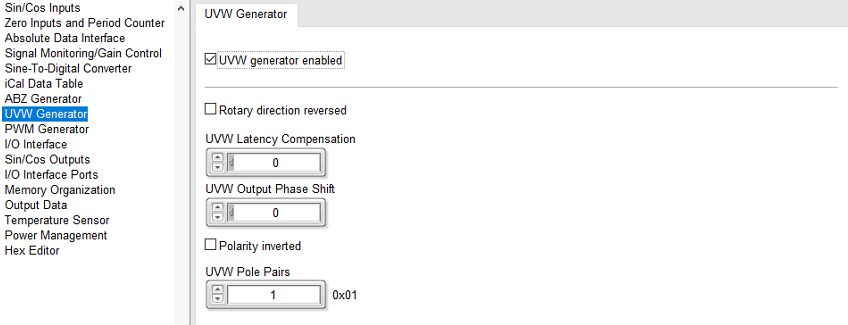
In order to active the generation of UVW on port X1, please activate the UVW generator check the UVW generator enabled checkbox.
You can change the pole pairs in respect to the motor construction. Here as default for linear motors = 1.
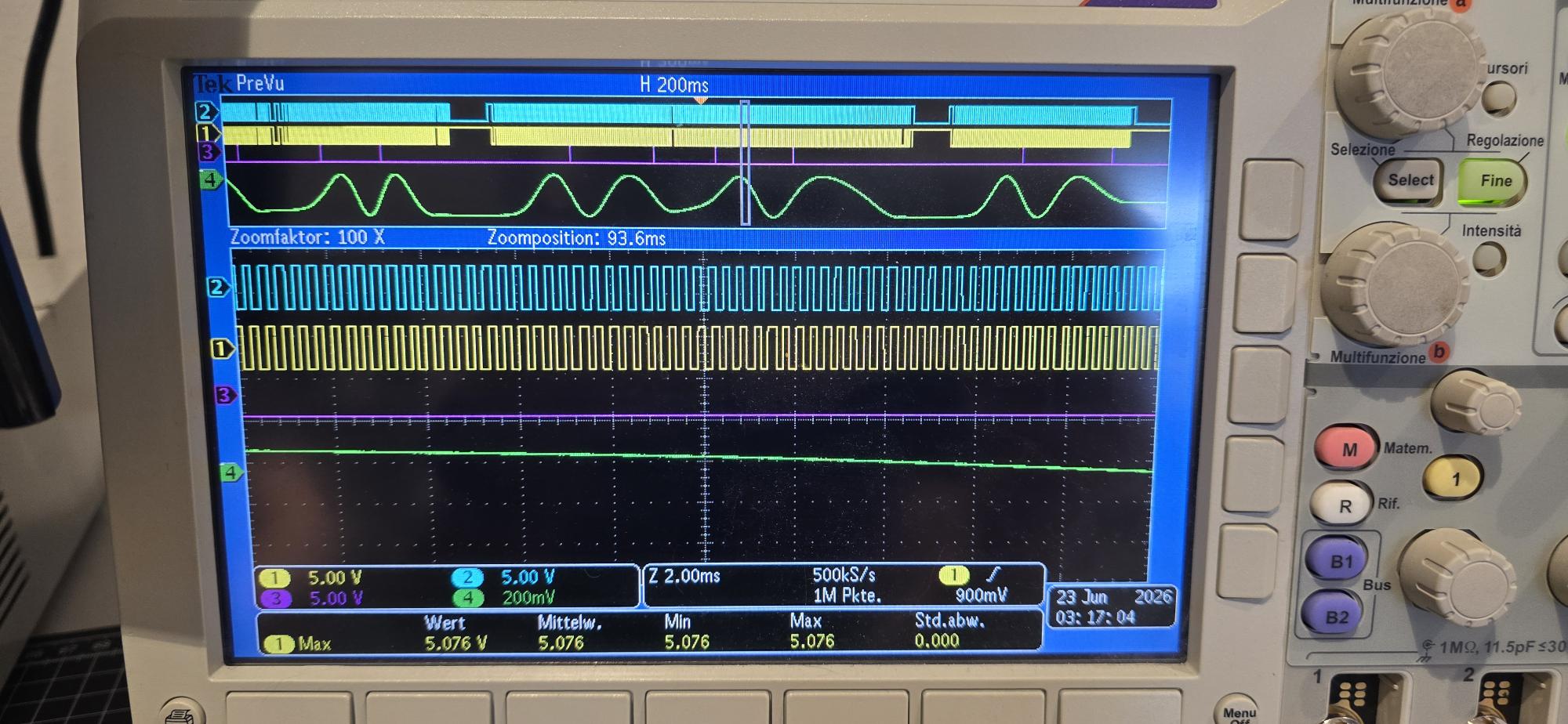
Example of output signals
ABZ Signals with 512 pulse / cycle
Green signal is Sine input signal, Violet is Z signal
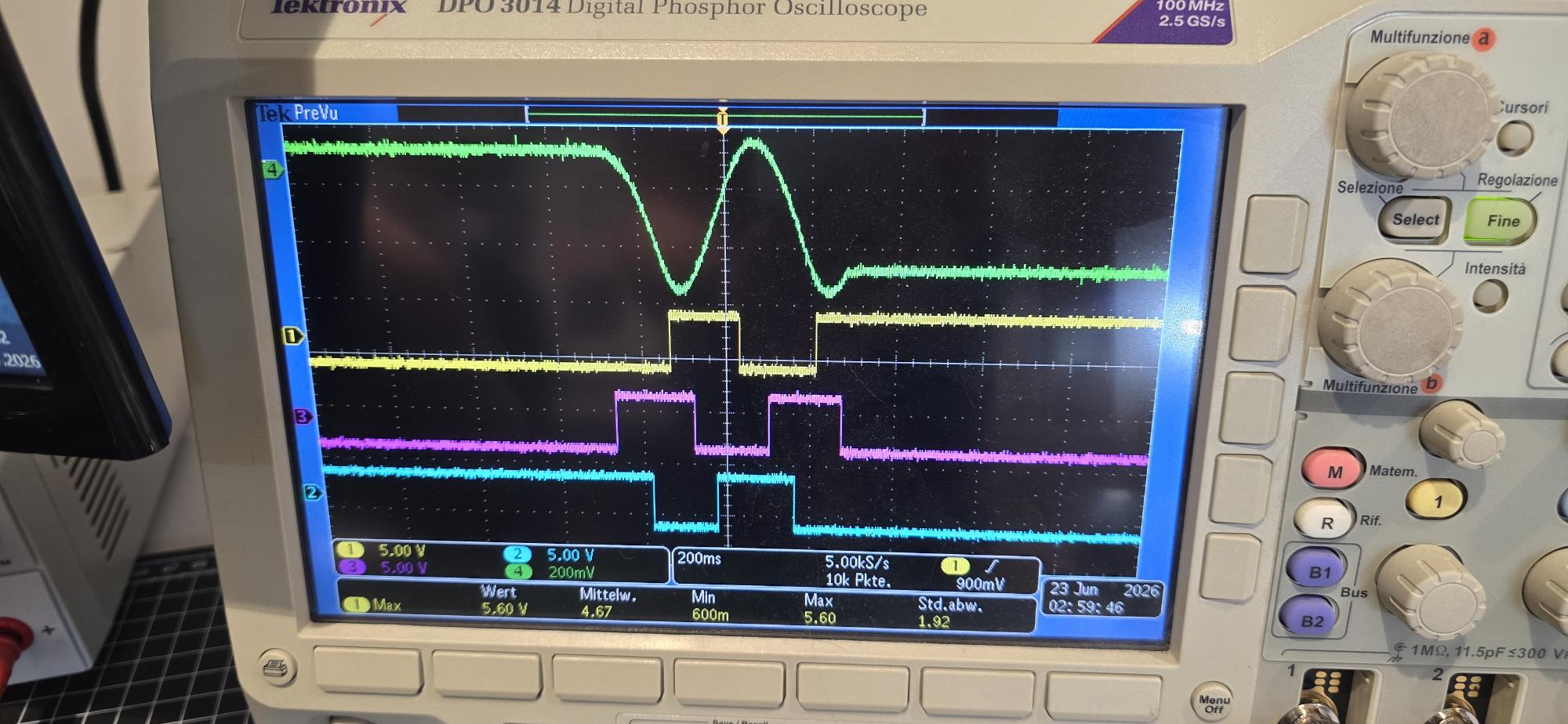
UVW Signals with 1 pole pairs
Green signal is Sine input signal, yellow, blue and violets are UVW commutation signals