meta data for this page
WEBSMART Motor sizing
General procedure
The sizing of linear motors is mainly determined by the application-related characteristics of velocity and feed force. First of all, the user should determine velocity and force profiles for the required application and set the proper parameters about payload, thrust force, ambient temperature and axis tilt. Then, the choice of the motor size is given either by simply calculating its physical limits, or by using a motor sizing application.
One online application for motor sizing is provided at the address: Websmart
Step by step with websmart
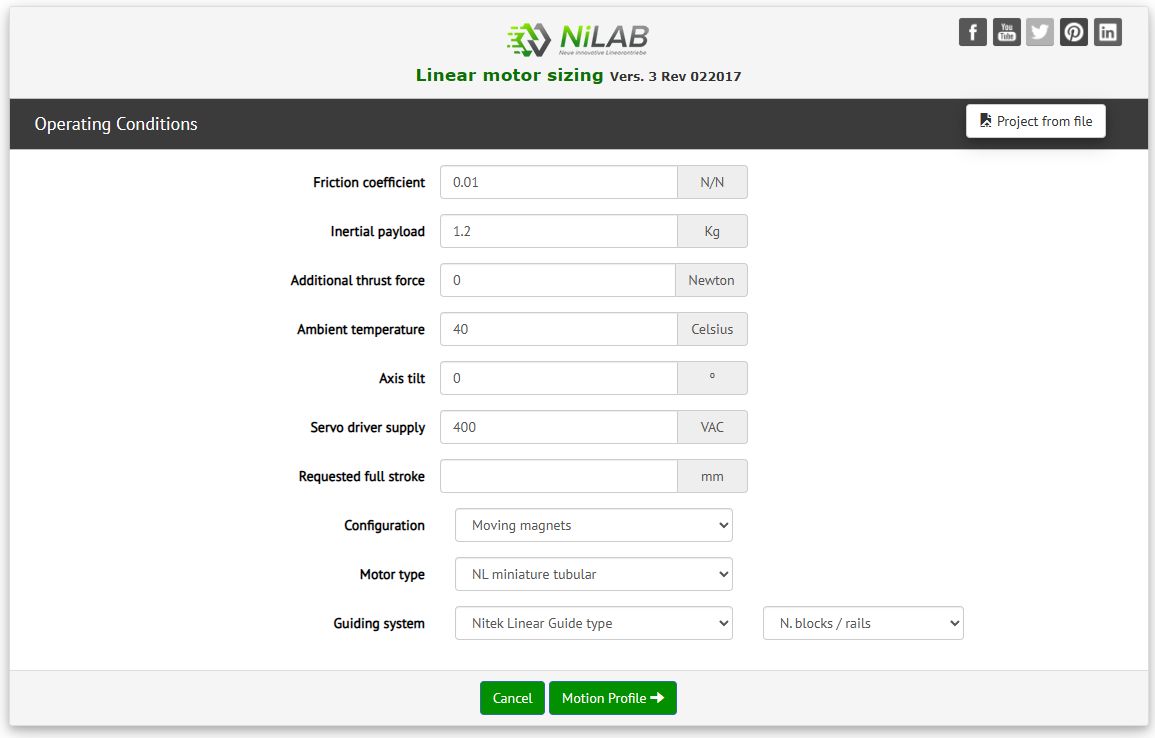
Step 1) Specify the operating condizions of the motor.
For example, an external payload of 1.2 kgs and a motor type wanted of NL tubular linear motors. Then press Motion Profile button.
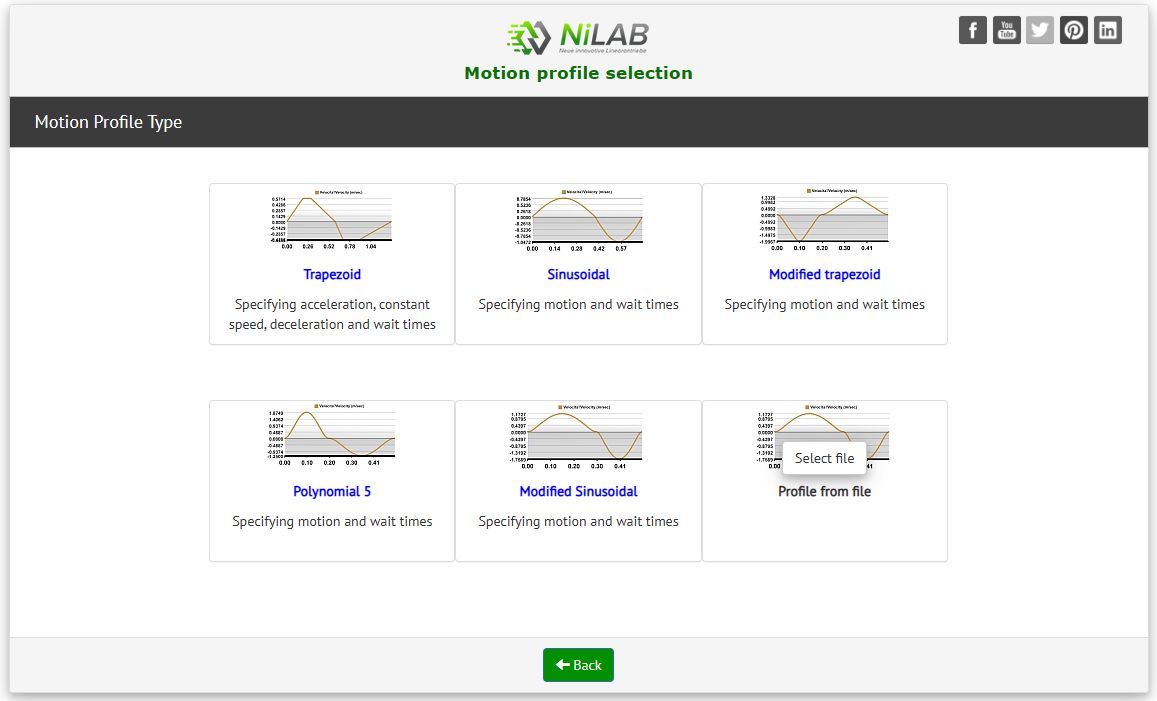
Step 2) Select a motion profile.
There are diffent option for the motion profile type. The simplest one is polynomial 5.
It is also possbile to upload a cam profile file based on position points. Here an example of motion profile file::cam_profile_example.zip
This example must contains as in the first rows the numerf of position point, second rows the time resolution and then the position data point
with unit in meters
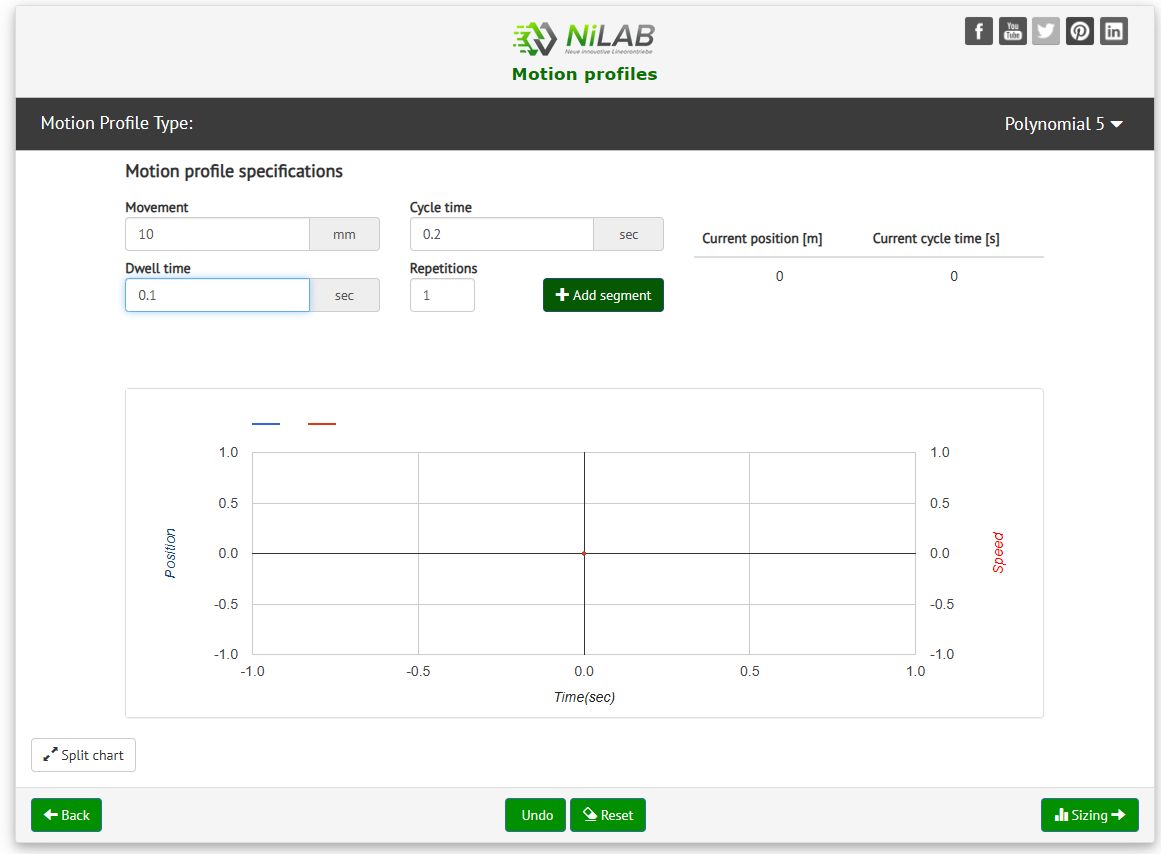
Step 3) create a polynomial 5 motion profile
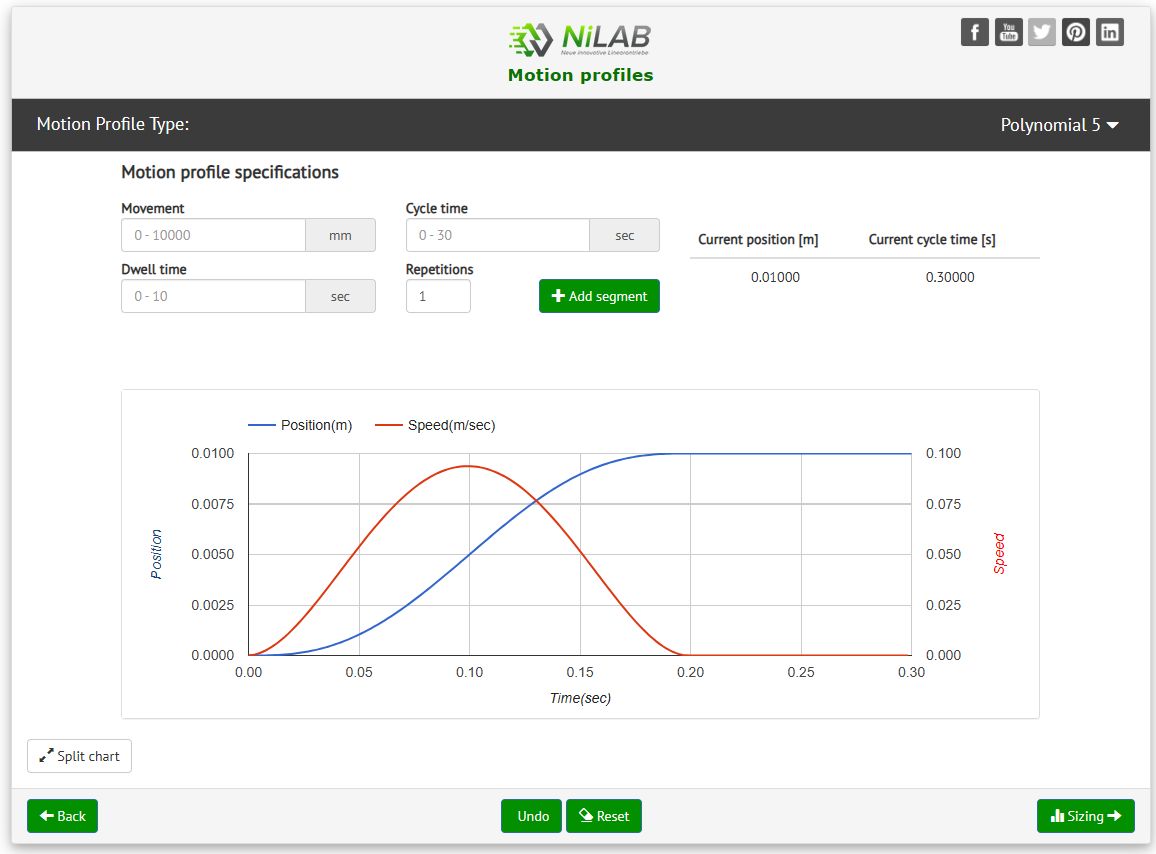
As example, we selected the Polynomial 5 motion profile. The motor will move from 0 to 10 mm, with cycle time = 0.2 sec and waiting time of 0.1sec.
Press Add segment button to update the motion cycle.
Then, we move back of 10 mm with different timing.
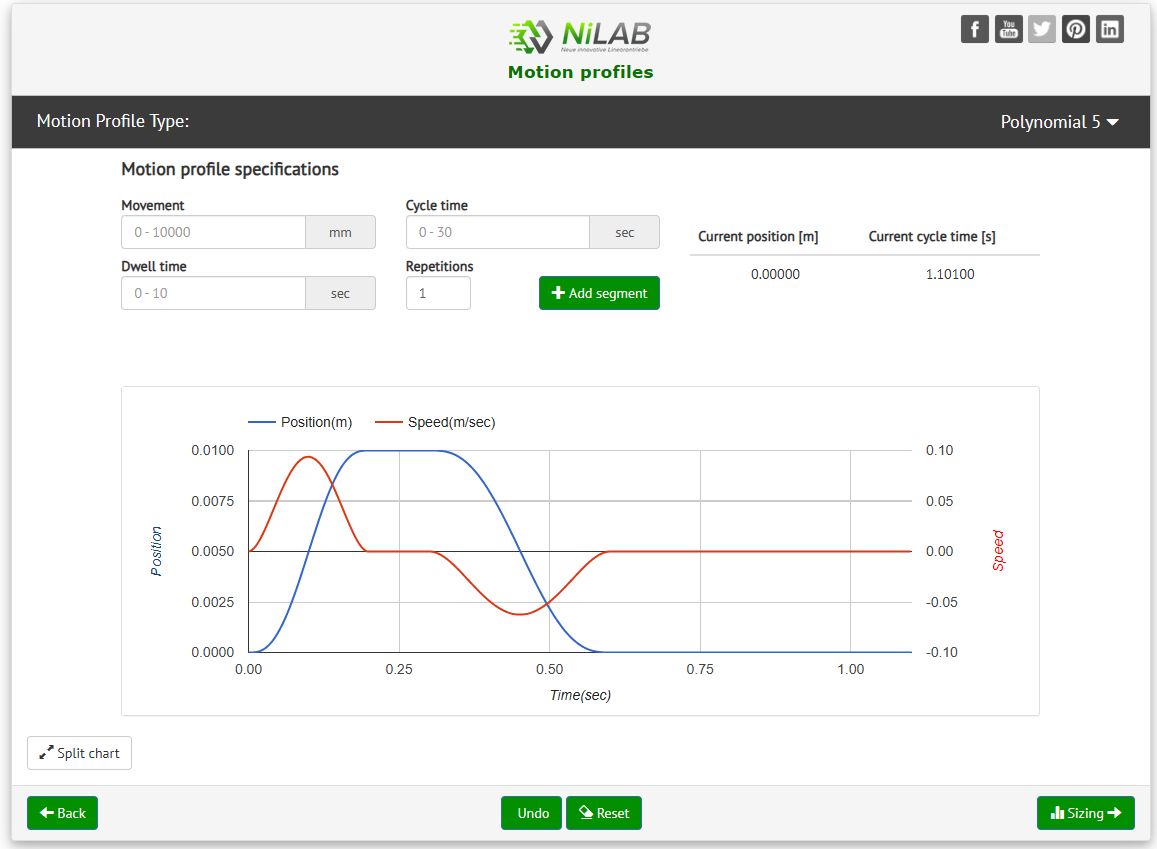
Step 4) When the motion cylce is complete press Sizing button to go ahead.
A summary window with all the application data will be shown.
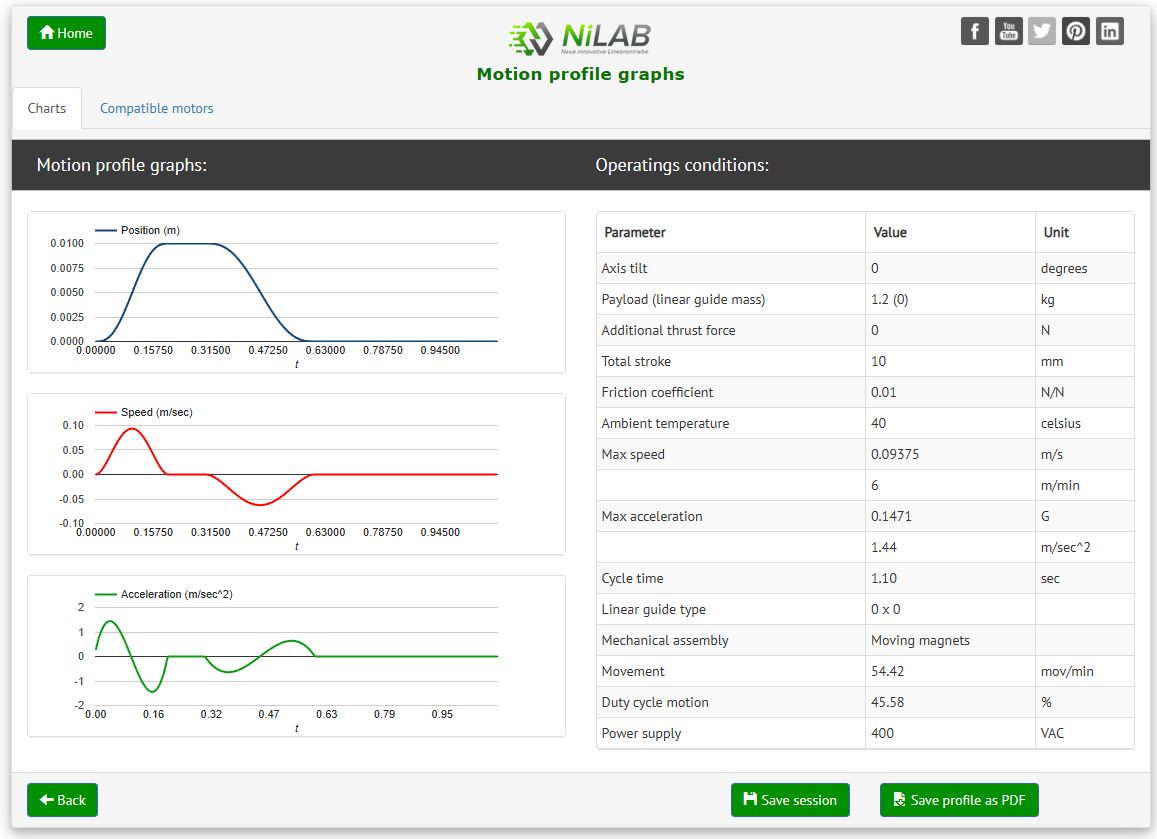
Step 5) Compatible motors
Click on the Compatibl motor folder a list of compatible motor will be shown.
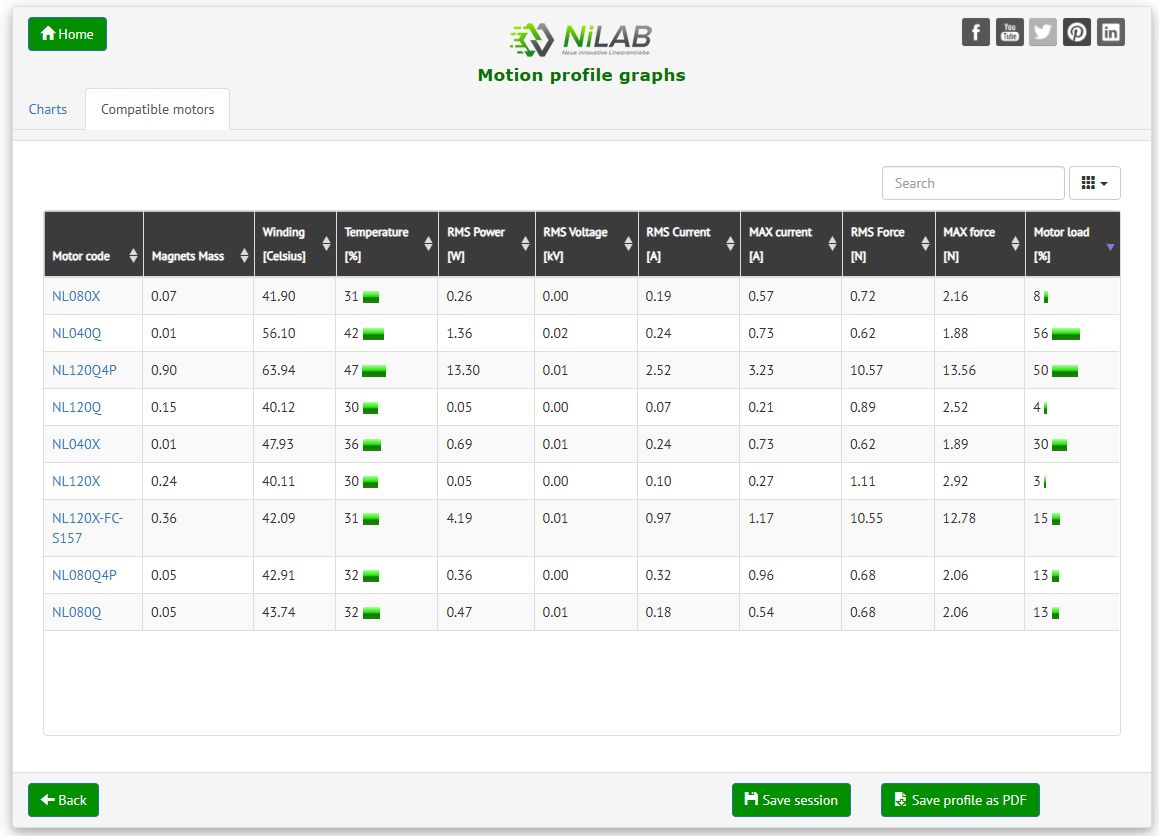
Step 6) Perfomance and limits check
Click on the motor code the diagram about the motor limits and the requirements are shown.
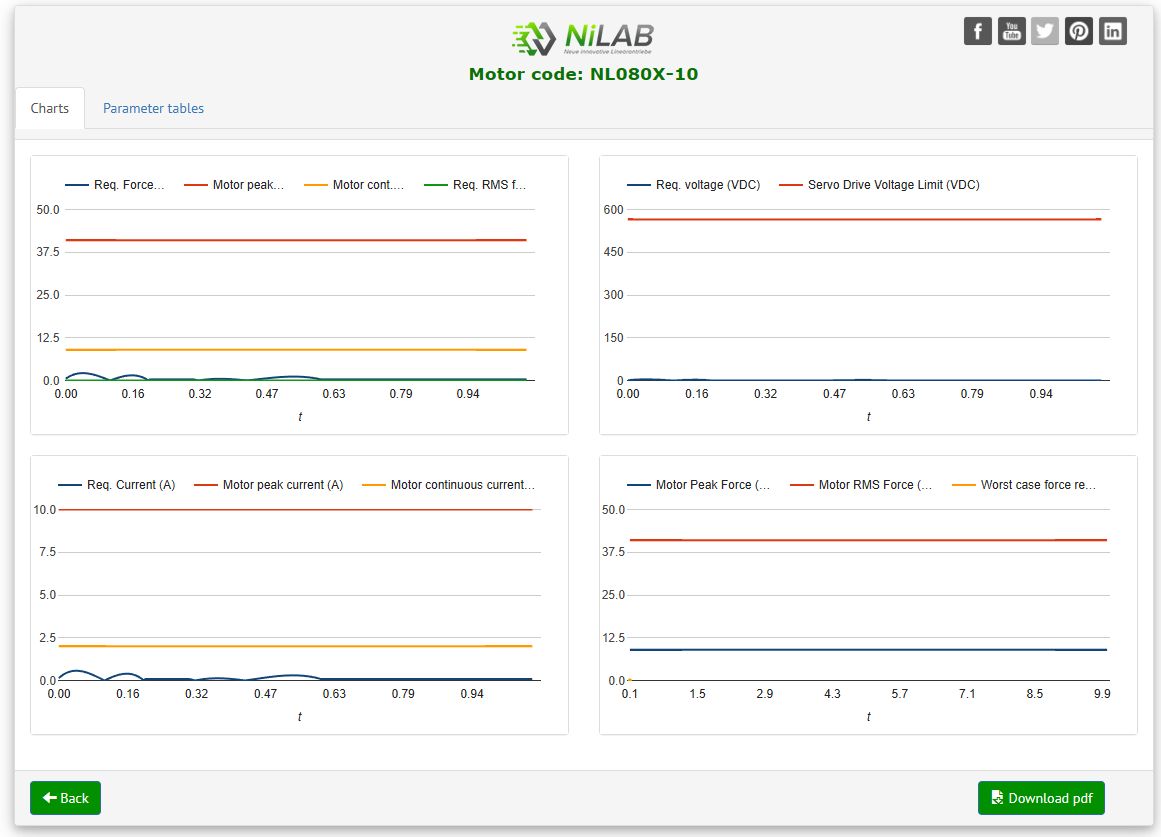
Step 7) Check safety margin
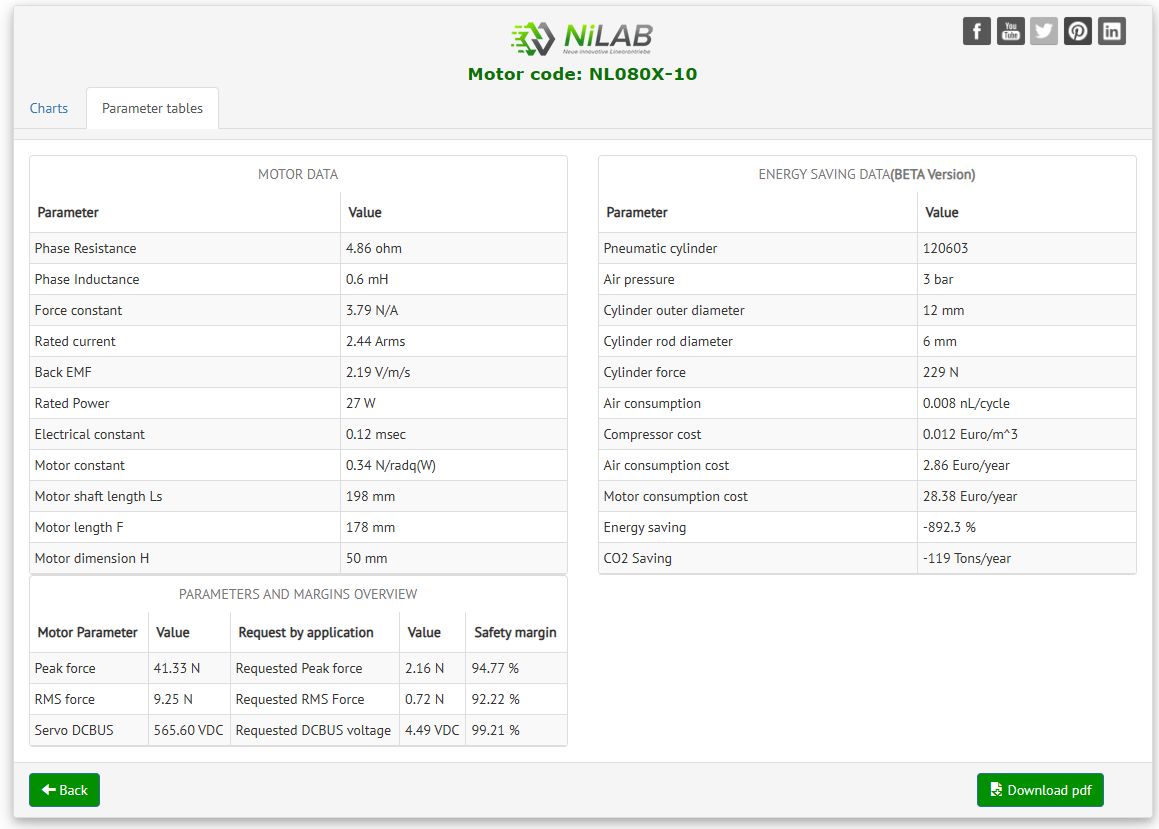
Click on the Parameter tables the safety margin about the motor performance are shown.